
Summarise this article with:
The Short Answer
If you registered a domain after May 2018, your personal contact data is probably already redacted from public WHOIS by default, thanks to GDPR enforcement and the global policies that followed. But "probably" is not "definitely," and the exceptions matter: .us domains cannot use privacy at all, some older domains were never updated, and not every registrar applies the same level of redaction. This guide explains exactly what is still exposed, how to check your own record, and how to lock it down for good.
This post is the companion to How to Find Domain Owner Information with WHOIS. That one explains how to look up others. This one explains how to protect yourself.
What WHOIS Is, in Brief
WHOIS (pronounced "who is") is a public query-and-response protocol dating to RFC 812 in 1982. It was designed for a small research network where everyone needed to reach everyone else. Decades later, ICANN required every domain registrar to collect and publish contact data through it.
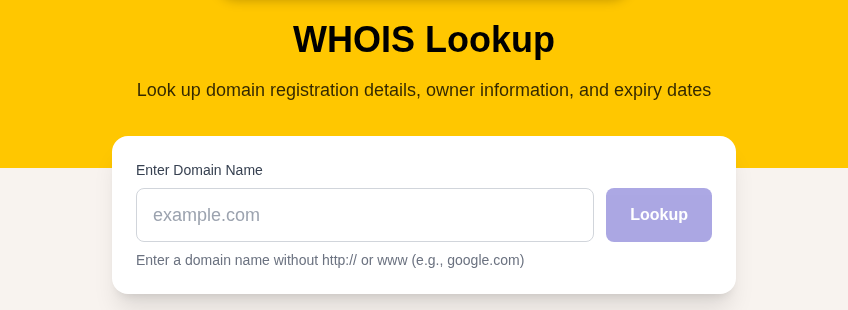
You can query any domain right now using our WHOIS Lookup tool or standard command-line utilities.
As of January 28, 2025, ICANN officially replaced WHOIS with RDAP (Registration Data Access Protocol) for all generic TLDs (gTLDs). ICANN no longer requires registries to run a WHOIS service on port 43 for gTLDs. RDAP delivers structured, machine-readable responses over HTTPS and supports differentiated access levels, something the 1982-era protocol was never designed to do. Legacy WHOIS and RDAP will coexist for country-code TLDs (ccTLDs) for the foreseeable future, but for .com, .net, .org, and most new TLDs, RDAP is now the authority.
What Does Your Domain's Registration Record Actually Expose?
A full, unredacted registration record contains three sets of contact information (registrant, administrative, and technical). For individual domain owners, these often point to the same person.
Registrant Contact (You, the Owner)
- Full legal name or organization name
- Street address, city, state, postal code, country
- Phone number including country code
- Email address
Administrative and Technical Contacts
Same fields repeated. For individuals running personal sites or small projects, all three contacts are identical, meaning your home address and personal phone appear three times in a single publicly queryable record.
Domain Metadata (Always Public, Even with Privacy)
- Registrar name and IANA ID
- Registration date, expiration date, last updated date
- Name servers
- Domain status codes (such as
clientTransferProhibited) - DNSSEC signing status
The metadata block is never hidden. Privacy protection only redacts the contact fields.
Why This Still Matters After GDPR
GDPR (effective May 2018) forced registrars to redact personal contact data for EU registrants. Most large registrars extended those policies globally rather than maintain two separate systems. So why think about this at all?
Four reasons your personal data might still be exposed:
- Pre-2018 registrations that were never updated. Some older records were grandfathered and not retroactively redacted.
- Registrars that apply inconsistent policies. Not every registrar defaults to full redaction, and enforcement is uneven.
- TLDs that require full public data (notably .us, covered below).
- Business domains where you deliberately left your organization's contact details public. In that case, make sure those details are a business address and a generic email, not your home or personal information.
GDPR also introduced a formal tiered access model that RDAP now implements:
- Public queries: Registrar name, dates, name servers, status, and "REDACTED FOR PRIVACY" in contact fields.
- Authenticated access: Cybersecurity researchers, intellectual property holders, and parties with verified legitimate need can request contact data through ICANN's Registration Data Request Service (RDRS).
- Law enforcement access: Full registration data is available through proper legal channels.
The practical effect: privacy protection keeps your data away from scrapers, cold callers, and casual lookups. It does not make you untraceable to a court order or a UDRP proceeding (more on that below).
What Gets Exposed When Privacy Is Off
Here is a representative raw WHOIS record for a domain without any privacy protection:
Registrant Name: Jane Smith
Registrant Organization:
Registrant Street: 47 Maple Drive
Registrant City: Portland
Registrant State/Province: OR
Registrant Postal Code: 97201
Registrant Country: US
Registrant Phone: +1.5035550142
Registrant Email: [email protected]
In my testing, automated scrapers harvest email addresses from WHOIS records within hours of a new registration. The spam and solicitation starts immediately and does not stop.
What attackers and scrapers do with that data:
- Harvest email and phone for domain renewal scam campaigns and SEO cold calls
- Use name, address, and phone for SIM swap attacks, where an attacker convinces your carrier to transfer your phone number to a SIM they control
- Build a targeted phishing profile by cross-referencing your name and address against other data breaches
- Monitor competitors' domain registrations to learn about unreleased products or market moves
For bloggers, journalists, or anyone running a site on a sensitive topic, a public home address in the WHOIS record is a physical safety issue, not just a spam annoyance.
How Privacy Protection Actually Works
When you enable WHOIS privacy (also called WHOIS masking or domain privacy), your registrar substitutes a proxy service's contact details in place of yours. The result:
- WHOIS and RDAP queries return the proxy's name, address, phone, and a unique forwarding email address.
- Legitimate email sent to the forwarding address is relayed to your real inbox.
- Your actual contact information is stored only in the registrar's internal database, not publicly accessible.
A protected record looks like this:
Registrant Name: REDACTED FOR PRIVACY
Registrant Organization: Privacy Service, Inc.
Registrant Street: PO Box 639
Registrant City: Kirkland
Registrant State: WA
Registrant Postal Code: 98083
Registrant Country: US
Registrant Phone: +1.4252740657
Registrant Email: [email protected]
The proxy address rotates per domain so your identity cannot be reconstructed by correlating multiple protected domains.
Checking Your Current Status
Use our WHOIS Lookup tool to query your own domain now. Look at the Registrant fields:
- If you see your real name or address, your privacy protection is not active.
- If you see "REDACTED FOR PRIVACY" or a proxy service's contact information, you are protected.
Check this any time you change registrars or renew a domain under a new payment method. Privacy protection can silently lapse during registrar transfers if the receiving registrar requires you to re-enable it manually.
Where to Get Free WHOIS Privacy
Free privacy protection is now a baseline expectation. My rule: if a registrar charges extra for WHOIS privacy in 2026, that is a red flag, not a feature.
Registrars that include free privacy protection:
| Registrar | Privacy Cost | Notes |
|---|---|---|
| Cloudflare Registrar | Free, always | At-cost wholesale pricing, no markup |
| Namecheap | Free for life | WhoisGuard included on all eligible domains |
| Porkbun | Free | Included with every domain |
| Squarespace Domains (ex-Google Domains) | Free | Enabled automatically for eligible TLDs |
| NameSilo | Free | No first-year-only bait-and-switch |
The original Google Domains service was acquired by Squarespace in 2023. If you transferred your domains, free privacy protection carries over.
Enabling Privacy: Step by Step
At Registration Time
Most modern registrars show a WHOIS Privacy or Domain Privacy checkbox during checkout. Enable it before completing the purchase. Enabling it after registration typically propagates within minutes to a few hours.
For an Existing Domain
- Log in to your registrar's control panel.
- Find your domain's settings or management page.
- Look for "WHOIS Privacy," "Domain Privacy," "ID Protection," or "Privacy Protection."
- Enable it. The change usually propagates quickly but can take a few hours to appear in public queries.
When Privacy Is Not Available
.us Domains
The National Telecommunications and Information Administration (NTIA) requires full, accurate registrant contact data for all .us domains. Privacy proxy services are not permitted. If you register a .us domain as an individual, your name, address, and phone will be publicly visible. The policy remains in effect as of 2026.
If you need a .us domain, register through a legal business entity using a business address, a dedicated office phone, and a role-based email address (such as [email protected]) rather than personal contact details.
.uk Domains
Nominet, the .uk registry, hides registrant name and address by default for individual registrants since GDPR. Registrants must actively opt in to have their personal details published. This is the opposite of the .us situation: for .uk, you are protected by default.
Other Country-Code TLDs
Requirements vary by country. Before registering any ccTLD, check that registry's specific WHOIS policy. Some ccTLDs follow GDPR-style redaction; others require full public data.
Privacy for Business Domains
For businesses, the calculus is different. A registered company's address is often public information anyway, and a real company name in the WHOIS record can add credibility.
The practical approach:
- Use your business's registered address, not a home address.
- Use a role-based email (such as [email protected]), not a personal one.
- Enable privacy on domains you have not yet publicly announced: a competitor watching domain registrations can learn about an upcoming product launch from your WHOIS record months before you go public.
Common Myths, Corrected
"WHOIS privacy makes you untraceable"
False. Law enforcement can compel your registrar to disclose your identity through legal processes. The tiered RDAP model also allows authenticated access for verified parties. Privacy protection stops casual lookups and automated scrapers. It does not stop a court order.
"WHOIS privacy protects you in domain disputes"
Partially false. Under UDRP (Uniform Domain-Name Dispute-Resolution Policy), if a complainant files a case against your domain, your registrar is required to provide your actual contact information to the proceeding. WHOIS privacy does not shield you from legitimate trademark enforcement. UDRP is separate from any privacy service you have enabled.
"WHOIS privacy hurts your SEO"
False. Google's John Mueller has confirmed that WHOIS privacy settings have no impact on search rankings. Google does not use registrant contact data as a ranking signal. Enable privacy without any concern for organic search performance.
"GDPR means I do not need explicit privacy protection"
Partially false. GDPR improved baseline redaction for most registrants, and RDAP has formalized tiered access. But coverage is not uniform across all registrars and all TLDs. Enabling explicit privacy protection adds a contractual layer on top of regulatory defaults, and it protects you even if your registrar's GDPR interpretation is narrower than expected.
FAQ
Is WHOIS privacy worth enabling even if I have nothing to hide?
Yes. The risk is not about hiding wrongdoing. It is about not broadcasting your home address, personal phone number, and email to automated scrapers that harvest WHOIS data. The spam campaigns, social engineering attempts, and domain renewal scams that follow an unprotected registration are a consistent, ongoing cost. Privacy protection at most registrars is free, so the calculation is simple.
Can I add WHOIS privacy to a domain I already own?
Yes. Log in to your registrar's control panel, find your domain's settings, and look for a "Privacy" or "ID Protection" toggle. The change usually takes effect within a few hours. If your registrar charges for this and you are not on a plan that includes it, consider transferring the domain to a registrar that includes it free.
Does WHOIS privacy prevent domain hijacking?
No. Domain hijacking typically happens through compromised registrar credentials, social engineering of registrar support staff, or expired domains, not through WHOIS data. WHOIS privacy reduces one input attackers might use for social engineering (your personal phone number and address for SIM swap attempts), but the primary defenses against hijacking are a strong unique password, two-factor authentication on your registrar account, and domain locking (clientTransferProhibited status).
What happens to WHOIS privacy when I transfer a domain to a new registrar?
Privacy protection does not automatically carry over. After the transfer completes, log in to the new registrar and verify that privacy is enabled. Some registrars enable it by default for inbound transfers; others require you to turn it on manually. Checking the public record with a WHOIS Lookup immediately after a transfer is the most reliable way to confirm your status.
Sources
- ICANN Announcement: Launching RDAP, Sunsetting WHOIS (January 27, 2025)
- Namecheap WhoisGuard Free Domain Privacy
- Nominet GDPR Changes for .UK Registrants
- Dynadot: WHOIS vs RDAP, the 2025 Transition
- Bluehost: .US Domain WHOIS Privacy Policy Rules
- Google: WhoisGuard Does Not Impact SEO and Rankings (Search Engine Roundtable)

WhatIsMyLocation Team
Our team of network engineers and web developers builds and maintains 25+ free networking and location tools used by thousands of users every month. Every article is reviewed for technical accuracy using real-world testing with our own tools.
Related Articles
Try Our Location Tools
Find your IP address, GPS coordinates, and more with our free tools.