
Summarise this article with:
Every time your browser opens a page, it fires a request carrying several pieces of data the server needs to respond. Understanding what is in that request, and what can be inferred from it, gives you an honest map of your exposure.
What Your Browser Actually Sends
Before any JavaScript runs, before you fill out a form, your browser sends an HTTP request containing:
- Your IP address (the source address, required for routing)
User-Agent: browser name, version, OS, and device typeAccept-Language: your preferred languages, e.g.en-US,en;q=0.9Referer: the URL of the page you clicked from (when applicable)Cookie: any cookies the site previously set on your device- Client Hints (Chromium-based browsers): device memory tier, screen pixel ratio, viewport size, connection speed
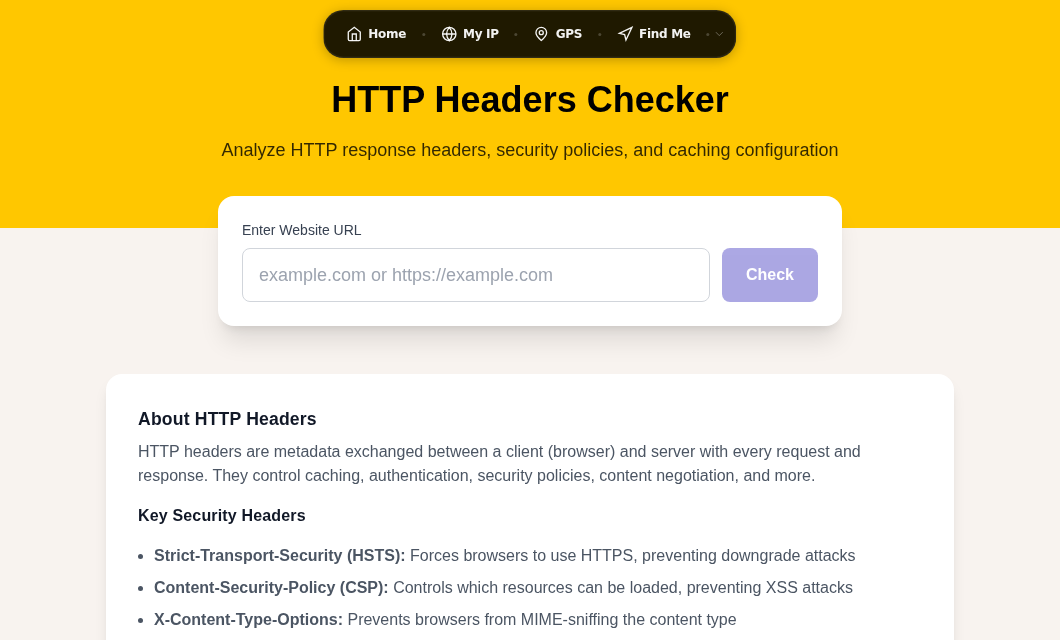
You can inspect exactly what your browser sends using the HTTP Headers viewer.
None of these fields require your consent at the transport level. The server logs them the moment the connection arrives.
What Each Layer Reveals
Layer 1: IP Address
The IP is the richest single field. Via public geolocation databases like MaxMind GeoIP2, a site can look up:
| Data point | Typical accuracy | Notes |
|---|---|---|
| Country | ~99% | Used for content licensing, GDPR enforcement |
| Region / state | 55-80% | Varies by country and ISP density |
| City (rough) | 20-75% | Often your ISP's exchange hub, not your home |
| ISP / carrier name | Near 100% | Always readable via WHOIS/ASN lookup |
| ASN (network block) | Near 100% | Identifies corporate or university networks |
| Connection type | High | Residential, mobile, datacenter, VPN exit |
| Time zone | Inferred | Derived from region, not directly in the IP |
Country-level accuracy is cited at 99% by MaxMind. City-level accuracy ranges from 20% to 75% depending on the provider, country, and connection type. Mobile IPs are harder to pinpoint because carriers use Carrier-Grade NAT (CGNAT), sharing one public IP across potentially thousands of users.
In my testing against a residential cable connection, the city shown by three different geolocation APIs matched my actual city in two of three cases. The third showed a city 40 miles away, which was the ISP's regional hub. That is the norm, not the exception.
Read more about why the city is often wrong in our geolocation accuracy explainer.
Layer 2: HTTP Headers
The User-Agent string is a meaningful fingerprinting input. A typical Chrome string on Windows reveals the exact browser version, the OS, and the CPU architecture. The Accept-Language header reveals locale. Together, these narrow the population of users who share your apparent profile.
The Referer header tells the server which page you came from. If you clicked a link from a news article to a retailer, the retailer sees the article URL. If that article URL contains your name or search term, that information travels too.
Client Hints (sent automatically by Chromium browsers when a site requests them) can add device memory tier and viewport dimensions. Each extra attribute shrinks the crowd you blend into.
Layer 3: Browser Fingerprint
JavaScript running on the page can read additional signals without any permission prompt:
- Screen resolution and color depth
- Installed fonts (via measurement)
- Canvas and WebGL rendering output (hardware-specific)
- Time zone (matching or contradicting the IP)
- Audio context behavior
- Battery status (where exposed)
The EFF's original Panopticlick research found that 83.6% of browsers were uniquely identifiable from these signals alone. More recent studies suggest the figure is higher as browser diversity has grown. A 2025 study found fingerprinting scripts on more than a third of the top 500 US websites.
The browser fingerprint tool shows what your own browser exposes. See also the deeper breakdown in browser fingerprinting explained.
What IP Alone Cannot Tell a Site
The IP address does not reveal:
- Your name or email address
- Your street address or apartment number
- Your phone number
- Other devices on your home network
- Your browsing history on other sites
- Your real-time GPS location
Getting any of that requires a separate mechanism: you logging into an account, you submitting a form, or a legal subpoena to your ISP. The ISP does hold a mapping from IP to subscriber identity, but that record requires legal process to obtain.
For a detailed treatment of what someone could do with just your IP, see what can someone do with your IP address.
How Layers Combine
The IP is rarely used alone. Modern tracking stacks layer signals:
IP + cookie: Sites recognize return visitors even if the IP changed, because the cookie persists. The IP confirms the cookie belongs to the same household.
IP + account login: Once you log in from an IP, that address is associated with your account. Future unlogged visits from the same IP can be probabilistically linked to you.
IP + browser fingerprint: A fingerprint can track you across sessions without cookies. A VPN changes the IP but leaves the fingerprint intact. This is why VPNs alone do not stop sophisticated fingerprint-based tracking.
IP + cross-site ad pixels: Ad networks see your IP across every site that loads their pixel, building a profile of visited domains and interests even without a shared cookie.
The IP is one coordinate. The full profile is the combination of all of them. See browser fingerprinting vs IP tracking for a direct comparison of which layer is harder to defeat.
When IP Alone Is More Revealing Than Usual
Most home users are partially protected by the crowd: ISPs share IP ranges across many customers, so an IP geolocates to an area, not an individual. But some situations narrow that crowd significantly:
Corporate or university networks. A registered company IP range may have only a few dozen users. A visit from that range is attributable to the organization, and with context, often to the individual.
Static residential IPs. Some ISPs assign persistent IPs. Your IP is stable across months and effectively becomes an identifier, even without cookies.
Small ISPs or rural connections. Fewer customers share the range. Geolocation may place you accurately at town level even when city-level accuracy for urban IPs is poor.
VPN datacenter exit nodes. Sites flag these as VPN traffic and may block you, serve a CAPTCHA, or apply stricter fraud rules. The VPN masks your real IP but signals that you are deliberately obscuring it.
What Sites Actually Do With This
Common uses, roughly in order of frequency:
- Content localization: language, currency, regional product catalog
- Legal compliance: applying GDPR vs. CCPA vs. Brazil LGPD based on country
- Fraud detection: flagging logins from geographically unusual IPs
- Analytics: counting visitors by country and region
- Ad targeting: country and city context for ad relevance
- Rate limiting: capping requests per IP to block abuse
- Geo-blocking: restricting streaming or news content by territory
The tracking-and-profiling use is the one that attracts attention, but it represents a small fraction of IP-based processing by request volume.
How to Reduce What Is Visible
In rough order of effort required:
- VPN: replaces your IP with the VPN provider's exit IP. Effective against IP-only tracking. Does not stop fingerprinting. A low-friction starting point for most people.
- Mobile data instead of home WiFi: mobile carriers use CGNAT, so your public IP is shared with many users. Geolocation becomes far less precise.
- Tor: routes traffic through multiple relays and strips identifying headers. Strong IP protection, significant speed trade-off, and some sites block Tor exit nodes.
- Browser hardening: disabling WebRTC (which can leak your real IP through a VPN), using private browsing, restricting third-party cookies. Reduces fingerprint surface without changing IP.
Check whether your VPN is actually working and not leaking your real IP with the VPN leak test. Check your current IP exposure at My IP.
IPv6 and the Identifying-Address Problem
IPv6 gives every device a globally routable address, which in the early SLAAC scheme was derived from the hardware MAC address, making it permanently identifying. RFC 8981 (which obsoletes RFC 4941) defines temporary address extensions: devices generate randomized interface identifiers that rotate over hours to days. Most modern operating systems implement this by default, so the concern is smaller than it was. Static assignments from ISPs or corporate networks remain a meaningful exception.
Frequently Asked Questions
Can someone find my home address from my IP?
Not directly from public databases. Those return city-level data at best, and the city is often your ISP's regional hub, not where you actually live. Your ISP holds a record linking your IP to your subscriber account and physical address, but that requires a legal process, typically a court order or government subpoena, to obtain.
Why does the site think I am in a different city than I actually am?
Your public IP is usually assigned from a pool managed by your ISP's regional exchange, not from hardware at your home. The geolocation database maps that IP to the exchange location. City accuracy for residential broadband ranges from 20% to 75% depending on the provider and country.
Does a VPN fully hide me from website tracking?
A VPN replaces your IP and prevents ISP-level logging of which sites you visit. It does not change your User-Agent, your Accept-Language, your cookies, or your browser fingerprint. Sites that use fingerprinting can still identify your browser across sessions even after you connect through a VPN. For genuinely sensitive browsing, combine a VPN with browser hardening or use Tor.
What does my User-Agent string reveal?
It typically identifies your browser name and exact version, your operating system, and your CPU architecture. A string like Mozilla/5.0 (Windows NT 10.0; Win64; x64) AppleWebKit/537.36 (KHTML, like Gecko) Chrome/126.0 Safari/537.36 tells a server you are on 64-bit Windows using Chrome 126. Combined with your language preferences and screen dimensions, this contributes meaningfully to a fingerprint. You can inspect your own User-Agent string.
Does using a mobile hotspot make me less trackable?
For IP-based tracking, yes. Mobile carriers in most countries use CGNAT, which shares one public IP across many users simultaneously. The IP geolocates to the carrier's regional hub rather than your location. However, your fingerprint and any logged-in accounts still identify you, and the carrier itself logs which subscriber used which IP at what time.
Is my IPv6 address more identifying than my IPv4 address?
It can be if your device uses a static IPv6 address or a SLAAC address derived from your MAC address. Most modern operating systems implement RFC 8981 temporary addresses, which rotate the interface identifier every few hours to days. If you are on a corporate or university network with static IPv6 assignments, however, your address is effectively permanent and identifying.
Sources

WhatIsMyLocation Team
Our team of network engineers and web developers builds and maintains 25+ free networking and location tools used by thousands of users every month. Every article is reviewed for technical accuracy using real-world testing with our own tools.
Related Articles
Try Our Location Tools
Find your IP address, GPS coordinates, and more with our free tools.