
Summarise this article with:
Why This Happens
You connected to a Tokyo server, your VPN client confirms it, but sites still place you in Los Angeles or somewhere else entirely. The VPN is working. The mismatch comes from how location detection actually works, and a VPN only controls one piece of it. There are five distinct reasons the city a site sees can differ from the server you picked.
Reason 1: Geolocation Databases Take Time to Catch Up
When a website checks your location it queries a geolocation database like MaxMind, IPinfo, or IP2Location. These databases catalog millions of IP ranges with their estimated country and city.
VPN providers regularly acquire new IP blocks, but databases don't know about the change immediately. A freshly assigned range might still be listed under the original ISP's city for days or weeks. MaxMind updates its GeoIP2 City database twice a week on Tuesdays and Fridays, but that only helps if the site you visit has pulled the latest copy, and many don't. Some self-hosted installs run months-old snapshots.
The lag is longer for small or newly launched VPN providers because the databases haven't accumulated enough data points to categorize those IP ranges accurately. Well-established providers with large server fleets tend to be listed correctly far sooner.
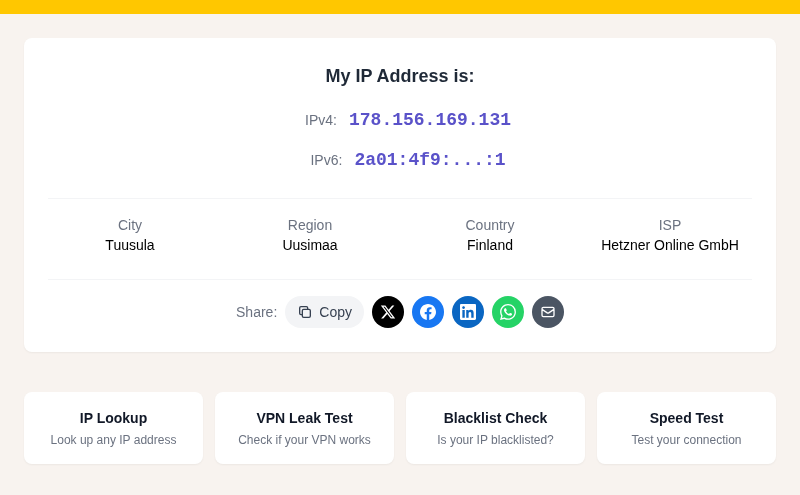
Check what location sites currently assign your VPN IP at /my-ip. If the city is wrong, there's not much you can do except try a different server from your VPN's pool. The database will catch up eventually.
See also: Why Your IP Location Shows the Wrong City for a deeper look at how this lag works.
Reason 2: You May Be Connected to a Virtual Server Location
Many VPN providers advertise a country but physically host the server somewhere else entirely. A virtual server location is exactly what it sounds like: the IP address is registered to one country, but the physical machine running your traffic sits in a completely different country.
A third-party study found that 17 out of 20 major VPN providers had at least some traffic exiting from a different country than the one selected by the user. NordVPN itself documents this openly: their Sri Lanka server is physically hosted in Singapore, and their Puerto Rico server sits in the United States.
Providers do this for legitimate reasons. Stable, high-bandwidth data centers don't exist in every country, and it's expensive to build physical infrastructure everywhere. A virtual location costs far less to operate.
The consequence for you: geolocation databases log the physical IP's real location, not the "virtual" one the VPN is advertising. So you pick "Sri Lanka" and a site sees "Singapore." The VPN is not broken. It's behaving exactly as configured, but the registry truth is leaking through.
If precision matters, check your VPN provider's documentation for which of their server locations are virtual versus physical.
Reason 3: Load Balancing Can Put You on a Different Exit Node
When you connect to "Japan - Tokyo," your VPN client usually assigns you to one machine from a pool of many. Providers run clusters of exit nodes behind the same city label to handle load. Which IP you actually get depends on which node is least busy at that moment.
This matters because each node in the pool may have its own geolocation record, and those records don't always match uniformly. One node's IP might be correctly tagged as Tokyo; another in the same cluster might be listed as a neighboring city or even as "unknown." You picked the same city twice but got two different IPs with two different database entries.
Some providers also rotate IPs periodically within a session. Surfshark's Nexus technology, for instance, rotates exit IPs on an interval by design. If the new IP has a different geolocation record, the city sites see can shift mid-session without any action on your part.
In my testing, reconnecting to the same server a few times and then checking /my-ip between connections sometimes yields different city tags, which is a reliable way to spot this behavior.
Reason 4: Browser Geolocation Bypasses the VPN Entirely
If a site requested your location and your browser said yes, the VPN is irrelevant to what that site knows about you. Browser geolocation uses GPS on phones, nearby WiFi access point data, and device sensor signals. None of those change when you connect to a VPN.
This is a separate signal channel from IP geolocation. A site using the Geolocation API gets your physical coordinates directly from the browser, often accurate to tens of meters. The VPN's exit IP is never consulted.
The permission prompt ("This site wants to know your location") is the gatekeeper. If you clicked Allow, even once for that site, the browser may remember it.
To check: open the site in a fresh private browsing window and see if the location changes. If it does, a stored browser permission was feeding your real location. Revoke the permission in your browser's site settings, or use private browsing by default when your VPN location matters.
Account-level data works similarly. If you're logged into Google or a streaming service, those platforms track your usual location across sessions and can serve content based on your account's history regardless of which IP you're connecting from.
Reason 5: WebRTC and DNS Leaks Expose Your Real IP
Your VPN can route your browsing traffic correctly while other parts of your browser's network stack quietly reveal your real IP. Two common paths are WebRTC and DNS.
WebRTC is a browser technology designed for peer-to-peer video calls. To establish direct connections it uses STUN servers to discover your real public IP. These STUN requests can bypass the VPN tunnel entirely, especially with browser-extension VPNs or split-tunnel configurations, because they run on a UDP path that isn't always intercepted. A site that runs a few lines of JavaScript can trigger a STUN request and read your real IP even while every other request goes through the VPN.
DNS leaks happen when your operating system sends domain-name lookups to your ISP's resolver instead of the VPN's. Your browsing stays encrypted, but the resolver sees every domain you visit and your real IP. Location services that correlate DNS queries can use this to place you accurately.
Check both with dedicated tools:
- VPN Leak Test for a combined check
- DNS Leak Test for resolver-specific results
- Our post on WebRTC leaks explained covers the fix in detail
Modern full-tunnel VPN clients handle both by default. Browser-extension VPNs and older or free VPN clients often do not.
What Your VPN Actually Controls
In rough priority order for how most sites detect location in 2026:
| Signal | What controls it | VPN helps? |
|---|---|---|
| Browser geolocation (GPS/WiFi) | Browser permission | No |
| Account-level location history | Logged-in profile | No |
| WebRTC STUN leak | VPN type + leak protection | Sometimes |
| DNS resolver location | VPN's DNS routing | Sometimes |
| IP geolocation database | Your exit node's IP | Yes, if DB is current |
Your VPN only directly controls the bottom row. The rows above it require separate steps: revoke browser permissions, use private browsing, choose a VPN client with WebRTC and DNS leak protection built in, or run an app-level VPN rather than a browser extension.
For a more thorough check after any VPN configuration change, see Is My VPN Working.
FAQ
My VPN says "connected to Japan" but websites still show the USA. What should I check first?
Start with /my-ip to see what IP and city your connection is actually reporting. Then run a VPN leak test to confirm no WebRTC or DNS leak is exposing your real address. If the IP is correctly assigned to Japan but the city reads wrong, the geolocation database has stale data for that IP range. Try a different server in the same country. If sites using browser permissions still show the US, check and revoke location permissions in your browser settings.
Why does one website show the correct VPN location but another shows the wrong city?
Each site uses a different geolocation database, refreshes it on its own schedule, and may weight browser geolocation or account data differently. One site might query MaxMind's latest build, another might run a months-old copy, and a third might use browser GPS entirely. Inconsistency across sites is normal and doesn't mean your VPN has failed.
Do free VPNs show wrong locations more often than paid VPNs?
Generally yes, for two reasons. Free VPNs tend to operate smaller IP pools that are less well-documented in geolocation databases, and they typically skip WebRTC and DNS leak protection. Both increase the chances a site sees something other than your chosen exit location. Paid providers with large server networks get their IP ranges catalogued faster and ship clients with leak protection on by default.
Can I force a site to see the correct VPN city?
Not reliably. You can try: switching to a different server in the same region, checking that no browser geolocation permission is granted for the site, using private browsing to eliminate cookies and account signals, and running your VPN as a full system app rather than a browser extension. If the geolocation database simply has old data for that IP, you have to wait for the database to update or pick a different exit node whose IP is already correctly catalogued.
Sources

WhatIsMyLocation Team
Our team of network engineers and web developers builds and maintains 25+ free networking and location tools used by thousands of users every month. Every article is reviewed for technical accuracy using real-world testing with our own tools.
Related Articles
Try Our Location Tools
Find your IP address, GPS coordinates, and more with our free tools.