
Summarise this article with:
Your private IP lives only inside your home network. Your public IP is what the rest of the internet sees. Your router translates between the two using a protocol called NAT, which is why every device in your house can access the internet through a single address.
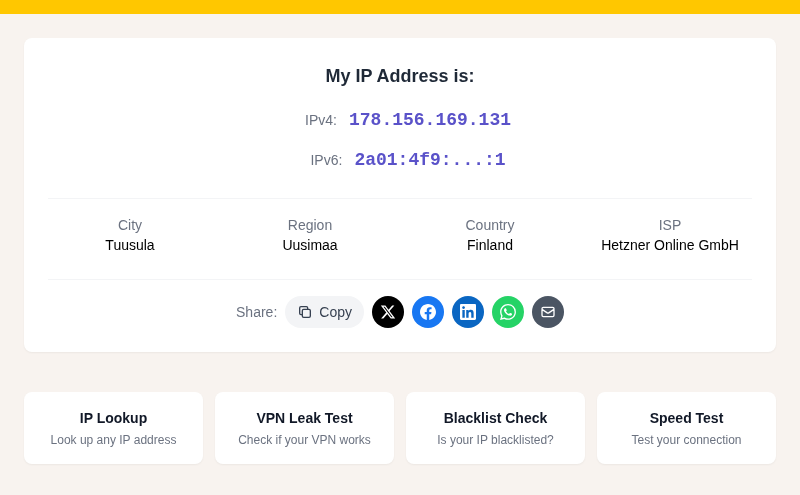
You can confirm this split right now: check your network settings on any device and note the address (probably starting with 192.168 or 10.). Then visit My IP Address and compare. You'll see two completely different numbers. Both are yours, and both matter.
What Is a Public IP Address?
A public IP address is assigned to your network by your Internet Service Provider (ISP) and is globally unique across the entire internet. It's the address that websites, streaming services, and anyone you connect to online actually see. Think of it as your network's mailing address on the internet.
Key characteristics:
- Globally unique, no two networks share the same public IP at the same time
- Assigned by your ISP from a block of addresses they control
- Visible to every external server you connect to
- Used by geolocation services to estimate your approximate physical location (see IP Geolocation Accuracy for how reliable that actually is)
- Either static (fixed) or dynamic (periodically reassigned)
Static vs Dynamic Public IPs
Most home connections use dynamic public IPs. Your ISP can change your address at any time, though in practice it may stay the same for weeks or months. This is managed automatically through DHCP.
Static public IPs cost extra and stay fixed indefinitely. Businesses that host servers, run game servers, or need consistent remote access typically pay for one. If you're forwarding ports to host anything from outside your network, a static IP makes configuration far simpler, since you don't have to chase a changing address.
What Is a Private IP Address?
A private IP address is only meaningful within your local network and is never routed on the public internet. Your router hands one out to every device that joins: your laptop, your phone, your smart TV, your printer. From the internet's perspective, none of those addresses exist.
These ranges were codified in RFC 1918, published by the IETF in 1996, and are still in use today. The table below shows all three blocks, how large each is, and where you typically encounter them.
| Range | CIDR Notation | Number of Addresses | Typical Use |
|---|---|---|---|
| 10.0.0.0 - 10.255.255.255 | 10.0.0.0/8 | 16,777,216 | Large enterprise networks |
| 172.16.0.0 - 172.31.255.255 | 172.16.0.0/12 | 1,048,576 | Medium-sized networks |
| 192.168.0.0 - 192.168.255.255 | 192.168.0.0/16 | 65,536 | Home and small office networks |
Most home routers default to the 192.168.0.x or 192.168.1.x range, with the router itself sitting at .1. If you ever need to work with subnets or calculate how many addresses a given block contains, the Subnet Calculator handles the math.
Key characteristics of private IPs:
- Only unique within your local network, not globally
- Assigned by your router via DHCP, or set manually
- The same address ranges can be reused across millions of separate networks
- Cannot be routed on the public internet
How Public and Private IPs Work Together: NAT Explained
The technology connecting your private network to the public internet is Network Address Translation (NAT), which your router performs automatically on every outbound request.
Here is what happens when you load a webpage:
- Your laptop (private IP: 192.168.1.105) sends a request to a web server
- The request reaches your router
- Your router replaces the private source address with your public IP (for example, 203.0.113.45) and records that translation in its NAT table, tagging it with a unique port number
- The web server receives the request from 203.0.113.45 and sends its response there
- Your router receives the response, looks up the port in its NAT table, and forwards the packet back to 192.168.1.105
- Your laptop gets the page
This specific variant is often called PAT (Port Address Translation) because your router distinguishes between simultaneous requests from dozens of devices using port numbers, not just IP addresses. The whole process happens in milliseconds and is invisible to you.
Why NAT Exists
NAT was created to solve IPv4 address exhaustion. IPv4 allows roughly 4.3 billion unique addresses, which is far fewer than the number of internet-connected devices in the world. By letting thousands of private devices share a single public IP, NAT stretched IPv4's lifespan by decades. Without it, every phone, laptop, thermostat, and smart bulb would need its own globally unique address.
Why the Difference Matters
Security
Private IPs provide a natural boundary. No one on the internet can directly address your laptop or printer because those devices have no public-facing address. Your router sits between them and the world.
That boundary is not a complete shield, though. Malware installed locally, poorly configured port forwarding rules, or vulnerabilities in the router itself can all expose your internal network. The public/private split is a starting point, not a substitute for proper security practices.
Troubleshooting
Knowing which side of the boundary a problem lives on narrows diagnosis quickly:
- Devices talk to each other locally but not the internet: the issue is between your router and your ISP, or a DNS failure. Run a DNS Leak Test to rule out DNS problems.
- One device cannot reach anything, including local devices: its private IP configuration is probably the culprit. Check that it has a valid address in a recognized RFC 1918 range.
- You reach some sites but not others: likely a routing issue further upstream. A Traceroute can show you exactly where packets stop arriving.
Remote Access and Port Forwarding
If you want to host something accessible from the internet (a game server, a home media server, a self-hosted VPN), you have to tell your router how to handle incoming connections. Port forwarding lets you map a specific port on your public IP to a specific private IP inside your network.
For example, if a server runs on 192.168.1.50, you would forward port 80 and 443 on your router to that device. Visitors connect to your public IP; your router routes the traffic inward automatically. Services running on private IPs are otherwise unreachable from outside.
How to Find Your Public and Private IP Addresses
Your Public IP
The fastest method: visit My IP Address. It shows your public IP along with your ISP and approximate location in seconds.
From the command line:
macOS / Linux:
curl ifconfig.meWindows (PowerShell):
(Invoke-WebRequest -Uri "https://api.ipify.org").ContentYour Private IP: Windows
Open Command Prompt and run:
ipconfigLook for the section matching your active connection (Wireless LAN adapter Wi-Fi or Ethernet adapter). Your local address is labeled IPv4 Address.
Your Private IP: macOS
In Terminal:
ipconfig getifaddr en0en0 is typically your Wi-Fi adapter. If you're on Ethernet, try en1. Alternatively: Apple menu, System Settings, Network, Wi-Fi, then click Details next to your connected network.
Your Private IP: Linux
ip addr showFind the inet line under your active interface (commonly eth0 for wired or wlan0 for wireless).
Your Private IP: iPhone (iOS)
Go to Settings, Wi-Fi, then tap the i icon next to your connected network. Your private IP appears under IPv4 Address.
Your Private IP: Android
The path varies by manufacturer. The general route is Settings, Network and internet, Wi-Fi, then tap the gear icon or network name. Look for IP address under the network details. Some phones require expanding an Advanced section. In my testing on a Pixel, the address appears immediately under the network info without needing to expand anything, while Samsung devices on One UI tuck it one level deeper.
IPv6 and What Changes
IPv6 was designed to eliminate NAT by giving every device its own globally unique address. Its address space is large enough that every device on Earth can have one, with room to spare.
The transition from IPv4 has been slow, and most networks today run dual-stack, supporting both protocols simultaneously. Even if IPv6 eventually makes NAT redundant for address conservation, network segmentation and firewall rules will still matter. The reason for private addressing changes, but the principle of controlling what is reachable from the internet does not.
Common Questions
Is 192.168.1.1 a public or private IP address?
It is a private IP address. The entire 192.168.0.0/16 range is reserved for private use under RFC 1918 and is never routed on the public internet. The address 192.168.1.1 is the default gateway for many home routers.
Can two devices have the same private IP address?
Not on the same network without a conflict. If two devices share a private IP on the same router, neither will work reliably. However, the same private address can and does exist on millions of separate home networks simultaneously, because private ranges are not globally unique.
Does using a VPN change my private IP?
No. A VPN changes the public IP that external websites see, routing your traffic through the VPN provider's servers. Your private IP on your local network stays exactly the same. What changes is only the address the outside world sees. For more on this, see How to Hide Your IP Address.
Why does my IP address show the wrong city?
IP geolocation works by mapping your public IP to a location in a database, and those databases are often imprecise. They may point to your ISP's data center rather than your actual location, which can be in a different city. This is a limitation of public IP geolocation, not a bug in your device. See Why IP Location Shows the Wrong City for a fuller explanation.
What can someone do if they know my public IP address?
With your public IP, someone can estimate your approximate geographic region (usually city-level, sometimes less accurate), attempt to probe open ports on your router, or include your address in targeted attacks. They cannot directly access your devices without also getting past your router. For a complete breakdown, see What Can Someone Do With Your IP Address.
Sources

WhatIsMyLocation Team
Our team of network engineers and web developers builds and maintains 25+ free networking and location tools used by thousands of users every month. Every article is reviewed for technical accuracy using real-world testing with our own tools.
Related Articles
Try Our Location Tools
Find your IP address, GPS coordinates, and more with our free tools.