
Summarise this article with:
Every device on the internet needs an address so data knows where to go. There are two address systems in use right now: IPv4, the original from 1981, and IPv6, its replacement. For most users, the difference is invisible, but knowing what is happening under the hood explains some quirks you might notice, like why your IP address looks different depending on which tool you use to check it.
The Phone Number Analogy
Think of IPv4 like the old 7-digit local phone number system. It worked fine when only some people had phones. As phones spread everywhere, countries added area codes. Then country codes. Eventually the original numbering scheme could not keep up, and a new system had to replace it.
IPv4 follows the same arc at internet scale. The system supports about 4.3 billion unique addresses. That sounds enormous until you count all the smartphones, laptops, smart TVs, routers, security cameras, thermostats, and other networked gadgets competing for those slots. The Internet Assigned Numbers Authority allocated its last free IPv4 blocks to regional registries on February 3, 2011. The well ran dry.
IPv6 is the new numbering system built so we never run out again. It supports 340 undecillion addresses (that is 3.4 followed by 38 zeros). To put that in perspective: there are roughly 664 billion IPv6 addresses for every grain of sand in Earth's crust. The supply is effectively unlimited for any foreseeable future.
What the Addresses Actually Look Like
| IPv4 | IPv6 | |
|---|---|---|
| Example | 192.168.1.100 | 2001:0db8:85a3::8a2e:0370:7334 |
| Format | 4 numbers, dots | 8 hex groups, colons |
| Total addresses | ~4.3 billion | 340 undecillion |
| Introduced | 1981 | 1998 |
| In use today | Yes | Yes, alongside IPv4 |
The colons and letters in an IPv6 address can look alarming, but you almost never type one manually. Your devices, apps, and browser handle them the same way they handle IPv4.
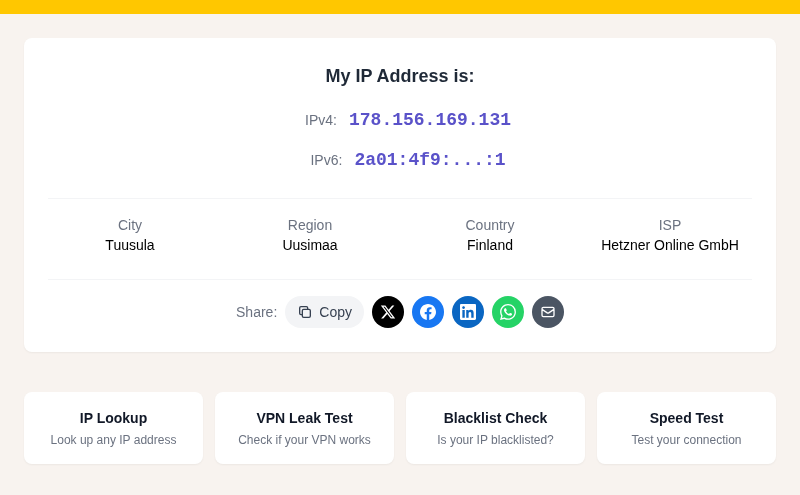
You can check which version your connection is using right now with /my-ip.
Why IPv4 Did Not Just Die in 2011
Running out of new addresses did not crash the internet. Two things bought time:
NAT (Network Address Translation) lets your home router share a single public IPv4 address among every device in the house. Your phone, laptop, and smart TV each get a private address (like 192.168.x.x) that only works inside your home network. The router translates between private and public. From the outside internet, all your devices look like one address. This is why your neighbor might have the same "192.168.1.1" on their router as you do, and neither of you conflicts with the other.
The IPv4 resale market also emerged. Organizations sitting on large blocks of unused addresses started selling or leasing them. In my research, purchase prices for IPv4 addresses have ranged from around $13 to $55 per address depending on block size and registry, with lease rates around $0.38 to $0.50 per address per month. This makes large-scale IPv4 a real operational cost that pushes ISPs toward IPv6.
How the Transition Is Actually Working
Nobody flipped a switch. The internet is running both protocols at the same time, a setup called dual-stack. Your laptop or phone connects to your router, which connects to your ISP. Each link in that chain can speak IPv4, IPv6, or both.
When you visit a site that supports both, your browser tries both connections simultaneously and uses whichever responds first, typically preferring IPv6. This algorithm is called Happy Eyeballs (formally RFC 8305). It means you almost never notice a compatibility problem, because the fallback is automatic and nearly instant.
As of April 2026, about 50% of users reaching Google do so over IPv6, the first time that threshold was crossed. Mobile carriers in the US, India, and much of Europe have pushed IPv6 aggressively because it is far cheaper than leasing scarce IPv4 addresses. Home broadband is catching up but more slowly.
For sites that still only speak IPv4, ISPs running IPv6-only networks use a translation layer called NAT64. It works automatically; the user never notices.
The Privacy Difference Worth Knowing
This is the part that actually matters for everyday users.
With IPv4 and NAT, your whole household shares one public address. Websites see that address, not your individual device. There is a built-in layer of anonymity: your phone and your laptop look identical from the outside.
With IPv6, each device can get its own globally unique address. In theory, that makes per-device tracking easier. In practice, modern operating systems already defend against this:
- iOS generates temporary IPv6 addresses with a preferred lifetime of 24 hours, then rotates them, following RFC 8981.
- Android implements the same privacy extensions.
- Windows 10 and later also generate temporary addresses by default.
The result is that your IPv6 address changes frequently, which limits the value of tracking it. The threat model is not dramatically different from IPv4 with NAT, just implemented differently.
If you want to see what your addresses look like and whether any privacy issues are visible, /my-ip shows both your IPv4 and IPv6 addresses in one place.
What Changes for You Right Now (Mostly Nothing)
- Your devices already run dual-stack if your ISP supports it. No action needed.
- Your browser handles fallback automatically via Happy Eyeballs. You will not get error pages because a site is IPv4-only.
- Mobile phones in countries with aggressive IPv6 deployment (US, France, India, Germany) are often already on IPv6 as their primary connection.
- Home routers made after roughly 2018 support IPv6 out of the box. It is often already on.
The one scenario where you might notice something: if you use a VPN, some VPN providers do not tunnel IPv6 traffic, which can cause what is called an IPv6 leak. Your VPN hides your IPv4 address but your IPv6 address slips through unprotected. You can check for this at /vpn-leak-test.
See also: Why Your IP Location Shows the Wrong City and GPS vs IP Location: What Is the Difference for related reading on how these addresses are used in location detection.
The ISP Economics in Plain Terms
New ISPs in growing markets, and mobile carriers everywhere, lean heavily on IPv6 because acquiring IPv4 blocks now costs real money per address per year. Large cloud providers like Google, Meta, and Cloudflare have supported IPv6 for years. The momentum is self-reinforcing: as more traffic goes IPv6, the pressure on ISPs to support it increases.
The transition is slow but irreversible. The question for any given user is simply whether their ISP and router are keeping up.
FAQ
Does switching to IPv6 make my internet faster?
In most cases the difference is not noticeable. IPv6 can skip the NAT translation step your router performs for IPv4, which theoretically reduces latency by a small amount. The bigger practical speed factor is your ISP's connection quality, not which IP version you use.
Can I be tracked more easily with an IPv6 address?
Without any mitigations, yes, because each device gets its own public address. With modern defaults, no: iOS, Android, and Windows all generate temporary IPv6 addresses that rotate every 24 hours or less, following RFC 8981. That rotation makes sustained per-device tracking harder than the raw protocol would allow.
Why does my IP checker show an IPv6 address sometimes and IPv4 other times?
It depends on which IP version your device used to connect to the checker. On a dual-stack network your device might prefer IPv6 for one connection and fall back to IPv4 for another, depending on DNS resolution and which protocol responds first. Both are your real addresses on that network.
What is a dual-stack network?
Dual-stack simply means a device or network runs both IPv4 and IPv6 at the same time. Most home routers and phones already do this. There is no downside: you get full compatibility with both the old internet and the newer IPv6-first parts.
Should I do anything to enable IPv6 on my home network?
Probably not. If your ISP provides IPv6 and your router is from the last several years, it is likely already configured. You can check by looking at /my-ip: if it shows an IPv6 address alongside your IPv4 one, you are already on dual-stack. If you only see IPv4, your ISP may not yet offer IPv6 on your plan, or your router may need a settings update. Check the WAN or Internet settings in your router's admin panel for an IPv6 option.
Sources

WhatIsMyLocation Team
Our team of network engineers and web developers builds and maintains 25+ free networking and location tools used by thousands of users every month. Every article is reviewed for technical accuracy using real-world testing with our own tools.
Related Articles
Try Our Location Tools
Find your IP address, GPS coordinates, and more with our free tools.