
Summarise this article with:
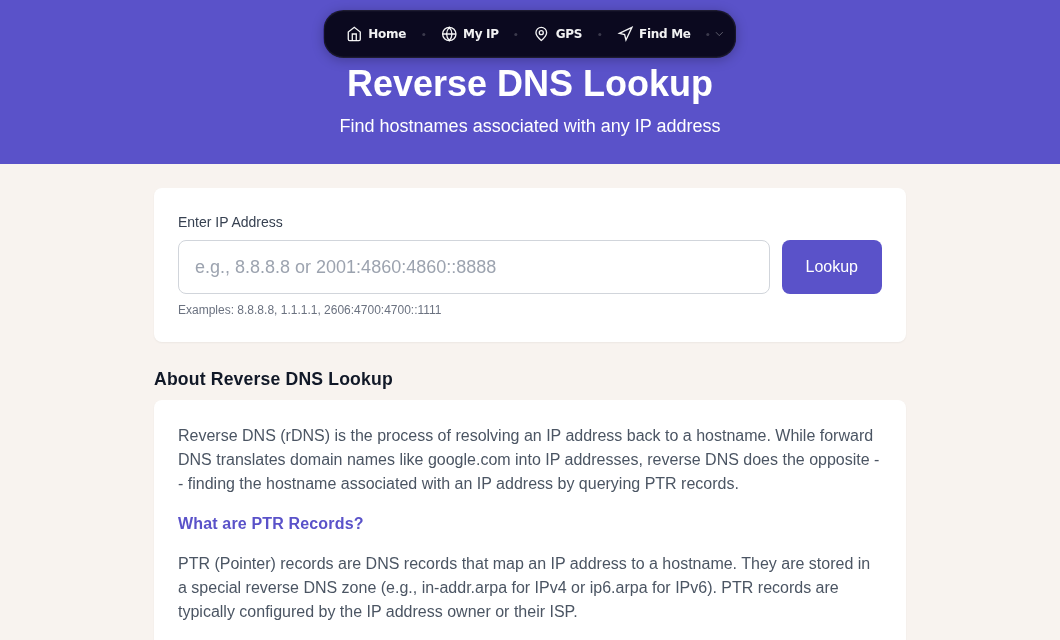
Reverse DNS maps an IP address to a hostname using a special record type called a PTR record. You can look up any IP instantly with our Reverse DNS tool. This guide covers how PTR records work under the hood, and why getting them right is now a hard requirement for email delivery.
How Reverse DNS Works
The in-addr.arpa Zone
Normal forward DNS asks "what IP does this hostname point to?" Reverse DNS asks the opposite: "what hostname does this IP point to?"
The answer is stored in a special DNS zone called in-addr.arpa, defined in RFC 1035 (1987). To look up the PTR record for 93.184.216.34, DNS:
- Reverses the octets:
34.216.184.93 - Appends the zone:
34.216.184.93.in-addr.arpa - Queries for the PTR record at that name
The octets are reversed because DNS is hierarchical from right to left. The arpa root delegates to 93, which delegates to 93.184, and so on down to the specific host. Whoever controls the IP address block controls the PTR record, not the domain owner.
IPv6 Reverse DNS
IPv6 uses ip6.arpa instead, and works with individual nibbles (4-bit hex digits) rather than full octets. For 2001:0db8:85a3::8a2e:0370:7334, the reverse DNS name is:
4.3.3.7.0.7.3.0.e.2.a.8.0.0.0.0.0.0.0.0.3.a.5.8.8.b.d.0.1.0.0.2.ip6.arpaEach hex digit is separated by a dot and the full address is reversed. The principle is identical to IPv4.
PTR Records
The DNS record type for reverse lookups is the PTR (Pointer) record:
34.216.184.93.in-addr.arpa. IN PTR mail.example.com.This tells any resolver that 93.184.216.34 is associated with mail.example.com. One PTR record per IP is the standard; having multiples causes unpredictable resolver behavior.
Performing a Reverse Lookup
Command line:
# Using dig
dig -x 93.184.216.34

# Using nslookup
nslookup 93.184.216.34

# Using host
host 93.184.216.34
Browser: Our Reverse DNS tool runs the lookup instantly without installing anything.
Why Mail Servers Care: FCrDNS
The Forward-Confirmed Reverse DNS Check
FCrDNS is now a hard requirement at every major inbox provider. It is a two-step verification:
- Look up the PTR record for the sending IP. It must return a hostname (not NXDOMAIN).
- Look up the A (or AAAA) record for that hostname. It must resolve back to the original IP.
If both steps agree, the IP is "forward-confirmed." If either step fails, you fail the FCrDNS check.
Here is what happens when your mail server sends a message:
- Your server at 93.184.216.34 connects to the recipient's mail server.
- The recipient's server runs
dig -x 93.184.216.34and gets backmail.example.com. - It then runs
dig A mail.example.comand checks whether the result includes 93.184.216.34. - If the pair matches, the connection passes FCrDNS and moves on to SPF/DKIM/DMARC checks.
- If there is no PTR record, or the A record points elsewhere, the message is rejected or heavily penalized.
This bidirectional check prevents senders from claiming association with domains they do not control.
Enforcement Timelines
| Provider | Enforcement | Consequence |
|---|---|---|
| Google (Gmail) | February 1, 2024 | Rejection or spam folder |
| Yahoo Mail | February 1, 2024 | Rejection or spam folder |
| Microsoft (Outlook.com) | May 5, 2025 | SMTP-level rejection: 550 5.7.15 |
Gmail and Yahoo apply these rules to everyone, with the strictest enforcement for bulk senders (5,000+ messages per 24-hour window). Microsoft's 5.7.15 error is a hard SMTP rejection, not a soft bounce, meaning retries will not help until you fix the PTR.
In my testing, the most common scenario I see is a hosting provider that auto-sets the PTR to a generic name like ec2-93-184-216-34.compute-1.amazonaws.com. That passes the "PTR exists" check but fails many spam heuristics because it looks like a cloud IP rather than a dedicated mail host. Always set a meaningful PTR that reflects your mail domain.
FCrDNS is described as best practice in RFC 1912 (an Informational RFC), but inbox providers have since made it a de-facto requirement regardless of formal RFC status. Check your email headers to see how receiving servers are evaluating your sending IP.
Setting Up PTR Records
Who Controls PTR Records
PTR records are managed by whoever controls the IP address block:
- Your ISP for residential or small business connections
- Your hosting provider for cloud servers (AWS, DigitalOcean, Hetzner, Vultr)
- Your own IP team if your organization owns address space from ARIN, RIPE, or APNIC
You cannot set a PTR record through your domain registrar or your forward DNS host. You must go to whoever allocated the IP.
Hosted Server Providers
- AWS EC2: Assign an Elastic IP, then use the AWS Console (Actions > Update Reverse DNS) or the CLI:
aws ec2 modify-address-attribute --allocation-id eipalloc-XXXXX --domain-name mail.example.com. The A record must exist before AWS will accept the change. - DigitalOcean: The PTR record is set to the droplet's hostname automatically. Rename your droplet to
mail.example.com(or whatever your mail hostname is). - Hetzner: Set the PTR record in the Cloud Console or Robot panel under IP management.
- Vultr: Available in Server Settings under the IPv4 section.
ISP-Provided IPs
Contact your ISP and ask them to set a PTR record for your static IP. Most business-grade ISPs offer this; most residential ISPs do not. PTR records require a static IP because dynamic addresses change too frequently for a meaningful PTR to stay accurate.
Verifying FCrDNS
After setting your PTR:
- Use our Reverse DNS tool to confirm the PTR returns your mail hostname.
- Use our DNS Lookup tool to confirm the A record for that hostname resolves back to your IP.
Both steps must match. Also run a Blacklist Check to confirm your IP is not on blocklists, since being listed there compounds deliverability problems regardless of PTR status.
Common Reverse DNS Problems
No PTR Record (NXDOMAIN)
Symptoms: Reverse lookup returns nothing or NXDOMAIN.
Impact: Immediate rejection by Gmail, Yahoo, and Microsoft as of their 2024-2025 enforcement dates.
Fix: Contact your ISP or hosting provider to create a PTR record.
PTR Does Not Match Forward DNS
Symptoms: PTR returns mail.example.com but the A record for mail.example.com points to a different IP.
Impact: FCrDNS fails. Hard rejection or heavy spam scoring.
Fix: Align the A record for your mail hostname with the IP that has the PTR. Or update the PTR to match the hostname that does point to this IP.
Generic ISP Hostname
Symptoms: PTR returns host-93-184-216-34.residential.isp.net.
Impact: Passes the basic "PTR exists" check but triggers spam filters that penalize residential-looking hostnames.
Fix: Request a custom PTR from your ISP, or use a hosting provider that allows you to set meaningful PTR records.
Slow SSH or Service Connections
Symptoms: SSH login hangs for 10-30 seconds before prompting for credentials.
Impact: The SSH daemon is performing a reverse DNS lookup on your client IP and waiting for a timeout when no PTR record exists.
Fix: Add UseDNS no to /etc/ssh/sshd_config and reload sshd. This skips the reverse lookup without affecting authentication security. If delays persist, GSSAPI authentication may also be doing DNS lookups.
Multiple PTR Records
Symptoms: Your IP has more than one PTR record.
Impact: Different resolvers may return different results, causing inconsistent FCrDNS checks.
Fix: Keep exactly one PTR record per IP, pointing to your primary mail hostname.
Reverse DNS for Security and Logging
Server logs are much more useful with PTR records. Without them, logs show only raw IPs. With them, you can immediately tell whether traffic is coming from a known CDN, a crawler, a mail provider, or a suspicious residential range.
Traceroute output is the clearest example. The same path looks very different:
Without reverse DNS:
1  192.168.1.1       1.2 ms
2  10.45.2.1         5.8 ms
3  72.14.215.68     12.3 ms
With reverse DNS:
1  router.local              1.2 ms
2  gw-core.isp.net           5.8 ms
3  chi-b21-link.isp.net     12.3 ms
The second output instantly tells you you are inside your local router, then your ISP's core, then an ISP backbone hop in Chicago. You can try this with our Traceroute tool.
Security systems also use PTR records to categorize traffic. A connection from mail.google.com is treated very differently from one with no PTR at all, or a hostname like host-192-168-1-1.dynamic.isp.com.
Privacy Note
Reverse DNS can reveal information you may not want public: your hosting provider, geographic hints in hostnames like nyc-web01, or the role of a server like db-primary.example.com. If that concerns you, set PTR records to reveal minimal information (host1.example.com instead of production-billing-db-nyc.example.com). Check what your current IP reveals using our IP Lookup tool.
Key Points
- Reverse DNS uses PTR records in in-addr.arpa (IPv4) or ip6.arpa (IPv6), with the address reversed.
- PTR records are controlled by whoever owns the IP block, not the domain owner.
- FCrDNS requires the PTR and A record to form a matching pair: IP to hostname, hostname back to IP.
- Google and Yahoo mandated valid forward and reverse DNS starting February 1, 2024. Microsoft followed with hard SMTP rejection (550 5.7.15) starting May 5, 2025.
- Generic or missing PTR records cause email rejection, slow SSH logins, and harder-to-read logs.
Related Articles:
- DNS Records Explained: A, AAAA, MX, NS, TXT, and CNAME
- ASN and BGP Basics: How Internet Routing Actually Works
- Email Header Analysis: What Those Lines Actually Tell You
FAQ
How do I check if my server has a valid PTR record?
Use our Reverse DNS tool and enter your server's IP address. It will return the PTR record if one exists. Then use our DNS Lookup tool to confirm the A record for that hostname resolves back to the same IP. Both steps must match to pass FCrDNS.
Why is my email going to spam because of reverse DNS?
The most common causes are: no PTR record at all, a PTR that does not match the A record for your mail hostname, or a generic ISP-assigned PTR (like host-12-34-56-78.residential.isp.net) that looks like a residential IP rather than a mail server. Gmail and Yahoo check FCrDNS on every inbound connection. Fix the PTR with your hosting provider or ISP, then verify alignment before sending again.
Can I set a PTR record for a dynamic IP?
Generally no. ISPs assign PTR records to IP address blocks, and dynamic IPs change too frequently for a meaningful PTR to stay accurate. Most ISPs will not set a custom PTR for dynamic addresses. If you need a PTR for email, you need a static IP, either from your ISP or from a hosting provider that gives you control over PTR records.
Does Gmail require reverse DNS in 2026?
Yes. Google made valid forward and reverse DNS a requirement for all senders starting February 1, 2024, and the policy has remained in place. Every sending IP must have a PTR record that returns a hostname, and that hostname must have an A or AAAA record pointing back to the sending IP. This applies to all senders, not just bulk mailers, and is separate from SPF, DKIM, and DMARC requirements.
Sources
- https://support.google.com/a/answer/81126
- https://techcommunity.microsoft.com/blog/microsoftdefenderforoffice365blog/strengthening-email-ecosystem-outlook%E2%80%99s-new-requirements-for-high%E2%80%90volume-senders/4399730
- https://en.wikipedia.org/wiki/Forward-confirmed_reverse_DNS
- https://docs.aws.amazon.com/AWSEC2/latest/UserGuide/Using_Elastic_Addressing_Reverse_DNS.html
- https://www.ietf.org/rfc/rfc2317.txt
- https://en.wikipedia.org/wiki/Reverse_DNS_lookup

WhatIsMyLocation Team
Our team of network engineers and web developers builds and maintains 25+ free networking and location tools used by thousands of users every month. Every article is reviewed for technical accuracy using real-world testing with our own tools.
Related Articles
Try Our Location Tools
Find your IP address, GPS coordinates, and more with our free tools.