
Summarise this article with:
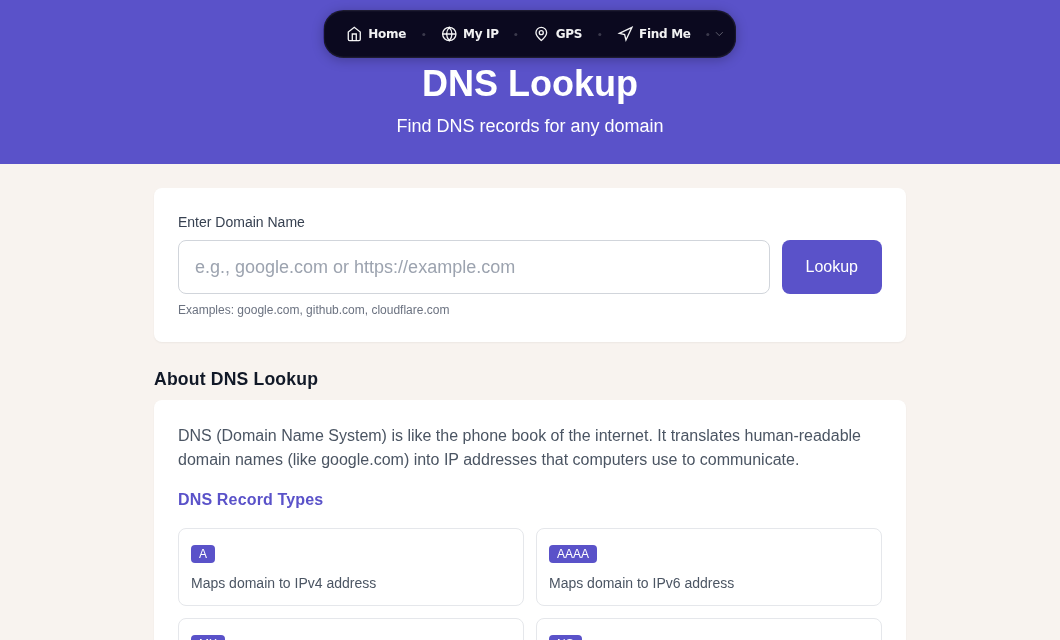
DNS records are the database entries that make the internet work. Every time you visit a website, send an email, or connect to an API, a DNS lookup retrieves the right record and routes your traffic to the correct server. This guide explains every major record type with real examples, the rules that govern them, and how to check them using the DNS Lookup tool.
Record Types at a Glance
| Record | Purpose | Points To |
|---|
|--------|---------|-----------|
| A | Maps a domain to an IPv4 address | 93.184.216.34 |
|---|---|---|
| CNAME | Alias from one name to another | Another domain name |
| MX | Routes email for a domain | Mail server hostnames + priority |
| TXT | Arbitrary text: SPF, DKIM, DMARC, verification | Quoted text string |
| NS | Names the authoritative servers for a zone | Nameserver hostnames |
| CAA | Restricts which CAs may issue TLS certificates | CA domain + tag |
| SOA | Zone metadata and serial number | Zone admin + timing values |
| SRV | Service location (VoIP, XMPP, LDAP) | Host, port, priority, weight |
| PTR | Reverse lookup: IP to hostname | Hostname (used in reverse zones) |
How DNS Resolution Works
When you type a domain into your browser, a chain of lookups runs before a TCP connection opens.
- Browser cache. If the browser already resolved this name recently and the TTL has not expired, it uses the cached address.
- OS resolver. If the browser has no answer, it asks the operating system, which checks its own cache.
- Recursive resolver. Your ISP or a public resolver (Google 8.8.8.8, Cloudflare 1.1.1.1) takes over. If it has a cached answer, it returns it. Otherwise it performs a full recursive lookup.
- Root nameservers. The resolver asks a root nameserver which TLD server handles
.com(or.org,.net, etc.). - TLD nameservers. The TLD server points to the authoritative nameservers for the specific domain.
- Authoritative nameserver. This server holds the actual records and returns the answer.
A full recursive lookup takes roughly 50-150 ms when the authoritative server is geographically distant. Cached responses from a public resolver like Cloudflare typically resolve in 10-30 ms. You can inspect the answer chain for any domain with the DNS Lookup tool.
A Records: IPv4 Addresses
The A record is the most fundamental DNS record type. It maps a hostname to a 32-bit IPv4 address. When a browser connects to a web server, it ultimately needs an A (or AAAA) record to get an IP.
example.com. 300 IN A 93.184.216.34Each field: hostname, TTL in seconds, class (always IN for internet), record type, IPv4 address.
Multiple A Records and Round-Robin Load Balancing
A domain can carry several A records simultaneously. Recursive resolvers rotate the order they return them, spreading connections across multiple servers. This is called DNS round-robin and is a basic form of load distribution.
example.com.    300    IN    A    93.184.216.34
example.com.    300    IN    A    93.184.216.35
example.com.    300    IN    A    93.184.216.36
Round-robin has no health checking: if one server goes down, some clients still receive its address. Purpose-built load balancers or anycast routing are more reliable for production failover.
AAAA Records: IPv6 Addresses
The AAAA record (pronounced "quad-A") does the same job as an A record but for 128-bit IPv6 addresses. The name comes from IPv6 being four times longer than IPv4 in bits.
example.com. 300 IN AAAA 2606:2800:220:1:248:1893:25c8:1946Most production domains run dual-stack today, meaning both an A and AAAA record exist for the same hostname. Clients that support IPv6 use an algorithm called Happy Eyeballs (RFC 8305): they send both an A and AAAA query simultaneously, start connecting to the IPv6 address first, and if no connection is established within 250 ms, race an IPv4 attempt in parallel. Whichever wins is used.
example.com.    300    IN    A       93.184.216.34
example.com.    300    IN    AAAA    2606:2800:220:1:248:1893:25c8:1946
You can test IPv6 connectivity and inspect AAAA records for any domain from the DNS Lookup tool.
CNAME Records: Aliases
A CNAME (Canonical Name) record creates an alias: instead of an IP address, it points to another domain name. The resolver then looks up that target name to find the eventual A or AAAA record.
www.example.com.     300    IN    CNAME    example.com.
blog.example.com.    300    IN    CNAME    sites.squarespace.com.
When a resolver encounters a CNAME, it restarts the lookup with the target name. This adds at least one extra DNS round-trip, so CNAME chains (CNAME pointing to another CNAME) should be avoided.
The Two Rules Everyone Trips Over
A CNAME cannot coexist with any other record type at the same name. RFC 1034 and RFC 1912 are explicit: if a CNAME is present at a node, no other data should be present. This means you cannot have a CNAME for blog.example.com and a TXT record for the same name. Many DNS providers enforce this at the UI level.
The zone apex cannot have a CNAME. The apex (example.com with no subdomain prefix) must always carry SOA and NS records. Because a CNAME would conflict with those mandatory records, placing one at the apex violates the DNS spec. Some providers offer a workaround called CNAME flattening or ALIAS records: they resolve the CNAME target internally and publish the resulting IP as if it were a native A record at the apex.
Common Uses of CNAME Records
wwwsubdomain pointing to the bare domain- Subdomains pointing to third-party services (Shopify, Netlify, GitHub Pages)
- CDN configuration (
cdn.example.compointing to a CDN provider hostname)
MX Records: Email Routing
MX records (Mail Exchanger) tell other mail servers where to deliver email for your domain. Without them, email sent to your domain has nowhere to go and will bounce.
example.com.    3600    IN    MX    10    mail1.example.com.
example.com.    3600    IN    MX    20    mail2.example.com.
The integer before the mail server hostname is the priority value. Contrary to what you might expect, a lower number means higher priority. RFC 5321 specifies that the sending MTA must try the lowest-numbered record first. If that server is unreachable, it falls back to the next-lowest, and so on.
Equal priority values mean equal preference: senders distribute load across those servers randomly.
How Email Delivery Uses MX Records
When a mail server delivers a message to [email protected], it:
- Queries DNS for MX records of
example.com - Sorts results by priority (lowest number first)
- Resolves the hostname of the top-priority server to an IP via its own A/AAAA record
- Attempts an SMTP connection on TCP port 25
- If that server is down or refuses, tries the next priority
- If all servers fail, defers the message and retries over hours or days before issuing a bounce
Common Provider MX Configurations
| Provider | MX Hostname | Priority |
|---|---|---|
| Google Workspace | ASPMX.L.GOOGLE.COM | 1 |
| Google Workspace (alt) | ALT1.ASPMX.L.GOOGLE.COM | 5 |
| Microsoft 365 | <tenant>.mail.protection.outlook.com | 0 |
| Proton Mail | mail.protonmail.ch | 10 |
| Proton Mail (backup) | mailsec.protonmail.ch | 20 |
If you are troubleshooting email delivery, checking MX records with the DNS Lookup tool is always step one. Pair that with the Blacklist Check tool to confirm your mail server IP is not listed on spam blocklists.
TXT Records: Email Authentication and Domain Verification
TXT records store arbitrary text strings in DNS. They started as a way to add human-readable notes to a zone, but today they carry three of the most important email security standards and serve as the universal domain verification mechanism for SaaS platforms.
example.com. 300 IN TXT "v=spf1 include:_spf.google.com ~all"SPF: Who Can Send From Your Domain
SPF (Sender Policy Framework, RFC 7208) specifies which mail servers are authorized to send email claiming to be from your domain. It is always published as a TXT record. The dedicated SPF RR type (type 99) was deprecated by RFC 7208 in 2014 and should not be used.
example.com. IN TXT "v=spf1 ip4:203.0.113.5 include:_spf.google.com -all"This reads: "Email from example.com is valid if it comes from IP 203.0.113.5 or Google's mail infrastructure. Hard-fail everything else." The mechanism at the end (-all, ~all, ?all) tells receivers how strict to be when the sender is not listed.
DKIM: Cryptographic Signing
DKIM (DomainKeys Identified Mail) publishes a public RSA or Ed25519 key in DNS. The sending mail server signs outgoing messages with the matching private key. Receiving servers fetch the public key and verify the signature, confirming the message body has not been altered in transit.
selector._domainkey.example.com. IN TXT "v=DKIM1; k=rsa; p=MIGfMA0GCSq..."The selector prefix lets a domain publish multiple DKIM keys simultaneously, which is useful when rotating keys or using multiple email providers.
DMARC: Policy and Reporting
DMARC (Domain-based Message Authentication, Reporting and Conformance) builds on SPF and DKIM. It tells receiving servers what to do when a message fails both checks, and requests aggregate reports.
_dmarc.example.com. IN TXT "v=DMARC1; p=reject; rua=mailto:[email protected]"p=reject means: discard messages that fail SPF and DKIM. p=quarantine delivers to spam instead. p=none takes no action but still sends reports, which is a good starting point when first deploying DMARC. In my testing, moving from p=none to p=quarantine on a domain that had misconfigured SPF immediately caused legitimate transactional email to disappear into spam, which is a good argument for reading the DMARC aggregate reports before tightening the policy.
Domain Verification via TXT Records
Google Search Console, Microsoft 365, and dozens of SaaS tools ask you to add a provider-specific TXT record to prove you control the domain before they grant access:
example.com. IN TXT "google-site-verification=abc123..."This works because only someone who controls the DNS zone can add a record.
NS Records: Delegation of Authority
NS (Name Server) records identify which servers are authoritative for a zone. They exist at two places in the DNS hierarchy.
example.com.    86400    IN    NS    ns1.exampledns.com.
example.com.    86400    IN    NS    ns2.exampledns.com.
At the parent zone (your registrar): When you register a domain, you tell the registrar which nameservers to use. The registrar publishes these as NS records in the TLD zone (the .com or .net zone), pointing the internet's recursive resolvers toward your authoritative servers.
At your authoritative zone: Your own DNS zone also contains matching NS records. These should match exactly what you set at the registrar. A mismatch between the two causes resolution failures that can be hard to diagnose.
Best practices: use at least two nameservers on separate networks for redundancy. Many providers offer four or more.
CAA Records: Controlling TLS Certificate Issuance
CAA (Certification Authority Authorization) records, standardized by RFC 8659 in 2019, let you restrict which Certificate Authorities are allowed to issue TLS certificates for your domain. Before issuing a certificate, CAs are required to check for CAA records. If a CAA record exists and the requesting CA is not listed, the CA must refuse to issue.
example.com.    300    IN    CAA    0 issue "letsencrypt.org"
example.com.    300    IN    CAA    0 issuewild "letsencrypt.org"
The three fields after the TTL are: flags (always 0 today), tag, and value.
The issue tag controls all certificate types. The issuewild tag specifically controls wildcard certificates (*.example.com). If you add an issuewild record, it takes precedence over issue for wildcard requests, so make sure to include your CA in both if you use wildcards.
If a domain has no CAA records, any CA may issue. Adding even one CAA record locks down issuance to only the listed CAs, which blocks certificate misissuance from unauthorized parties. You can verify a domain's current TLS certificate against its CAA policy with the SSL Checker.
Other Record Types
SOA (Start of Authority)
Every zone has exactly one SOA record. It stores the primary nameserver, the administrator's email address (formatted as admin.example.com rather than [email protected]), a serial number incremented on every change, and timing values (refresh, retry, expire, minimum TTL).
SRV (Service Locator)
SRV records publish the host and port for named services, widely used by VoIP (SIP), chat (XMPP), and directory (LDAP) protocols.
_sip._tcp.example.com. IN SRV 10 60 5060 sipserver.example.com.Fields: priority, weight, port, target hostname.
PTR (Pointer)
PTR records are the reverse of A records: they map an IP address back to a hostname. They live in special reverse-lookup zones and are used by receiving mail servers to verify that a sending server's IP matches its claimed hostname. Misconfigured or missing PTR records are a common reason email ends up in spam. See Reverse DNS Explained for the full picture, and check PTR records for any IP with the Reverse DNS tool.
How to Query DNS Records
Command Line
# dig (Linux, macOS, Windows WSL)
dig example.com A
dig example.com AAAA
dig example.com MX
dig example.com TXT
dig example.com CAA
dig +short example.com A   # concise output

# nslookup (Windows, macOS, Linux)
nslookup -type=MX example.com
nslookup -type=TXT example.com
Online
The DNS Lookup tool queries all record types at once and displays results without installing anything. It also shows the authoritative server that responded, which helps when debugging propagation issues.
DNS Propagation and TTL
Every record has a TTL (Time to Live) in seconds. Resolvers cache records for that duration before re-querying. Changing a record does not instantly update every cache in the world: resolvers that fetched the old value before your change will keep serving it until their cached copy expires.
| TTL | Duration | Typical Use |
|---|---|---|
| 60 | 1 minute | Planned migrations, active failover testing |
| 300 | 5 minutes | Frequently changed records |
| 3600 | 1 hour | Standard production records |
| 86400 | 24 hours | Stable records that rarely change |
The standard migration strategy: lower the TTL to 300 seconds at least 24-48 hours before making a change. Wait long enough for the old (longer) TTL to expire everywhere. Then make your change. Once propagation looks stable, raise the TTL back.
Not all resolvers honor TTL precisely. Some ISP resolvers impose their own minimum or maximum cache durations regardless of what the authoritative server publishes.
DNS also underpins the modern privacy improvements covered in DNS over HTTPS, where queries are encrypted inside HTTPS traffic so ISPs cannot observe which domains you look up.
FAQ
What is the difference between an A record and a CNAME record?
An A record maps a hostname directly to an IPv4 address. A CNAME maps a hostname to another hostname, which must then be resolved to an IP through its own A or AAAA record. Use A records when you know the IP address and it is stable. Use CNAME records when you want a hostname to follow wherever another name points, for example pointing www.example.com to example.com so both always resolve to the same server even if the IP changes.
Why does changing my DNS take so long to propagate?
DNS records are cached by recursive resolvers worldwide for as long as the record's TTL specifies. If your A record has a TTL of 86400 (24 hours) and you change it, resolvers that fetched the old value just before your change will continue serving it for up to 24 hours. The fix is to lower the TTL well in advance of any planned change, wait for the old TTL window to pass, then make the change.
Can I have both an A record and a CNAME for the same hostname?
No. A CNAME record must exist alone at a name: it cannot coexist with any other record type for the same hostname. RFC 1034 is explicit about this. Most DNS management interfaces enforce the restriction and will reject the combination.
What is a CAA record and do I need one?
A CAA record tells Certificate Authorities which ones are authorized to issue TLS certificates for your domain. If a CA checks and finds it is not listed, it must refuse to issue. If you have no CAA record, any CA may issue. Adding a CAA record is a low-effort security control: it prevents an unauthorized CA from issuing a certificate for your domain even if someone tricks them with a valid domain control validation. It does not replace monitoring certificate transparency logs, but it is a useful first layer.
What DNS records do I need for email to work?
At minimum, you need an MX record pointing to a mail server. Without it, senders cannot find where to deliver mail. For email security and deliverability, you should also configure: a TXT record with your SPF policy, a DKIM TXT record at selector._domainkey.yourdomain.com (your email provider generates this), and a DMARC TXT record at _dmarc.yourdomain.com. Without SPF, DKIM, and DMARC, your outgoing mail is likely to land in spam and your domain is vulnerable to email spoofing.
Sources

WhatIsMyLocation Team
Our team of network engineers and web developers builds and maintains 25+ free networking and location tools used by thousands of users every month. Every article is reviewed for technical accuracy using real-world testing with our own tools.
Related Articles
Try Our Location Tools
Find your IP address, GPS coordinates, and more with our free tools.