
Summarise this article with:
Quick Answer
Port scanning is the process of probing a device's port numbers to see which ones are actively accepting connections. Used defensively, it is one of the simplest ways to confirm that your firewall is doing what you think it is. Run a scan against your own IP using our Port Scanner and you will immediately see which services are visible to the outside world.
What Are Network Ports?
Think of an IP address as a building's street address and ports as the individual suite numbers inside. A single server can run dozens of separate services at once because each one listens on a different port number.
Port numbers run from 0 to 65535 and fall into three categories defined by IANA (the Internet Assigned Numbers Authority):
| Range | Name | Notes |
|---|---|---|
| 0-1023 | Well-Known (System) Ports | Standardized services; binding requires root/admin privileges on most operating systems |
| 1024-49151 | Registered (User) Ports | Assigned by IANA to specific applications on request |
| 49152-65535 | Dynamic (Ephemeral) Ports | Never permanently assigned; your OS uses these for the outbound side of connections |
Common Well-Known Ports
| Port | Service | Protocol | What It Does |
|---|---|---|---|
| 21 | FTP | TCP | File transfer (largely superseded) |
| 22 | SSH | TCP | Encrypted remote shell access |
| 23 | Telnet | TCP | Unencrypted remote access (legacy, avoid) |
| 25 | SMTP | TCP | Outbound email delivery |
| 53 | DNS | TCP/UDP | Domain name resolution |
| 80 | HTTP | TCP | Unencrypted web traffic |
| 443 | HTTPS | TCP | Encrypted web traffic |
| 3306 | MySQL | TCP | Database access |
| 3389 | RDP | TCP | Windows Remote Desktop |
| 445 | SMB | TCP | Windows file sharing |
Registered ports add popular application services: 5432 (PostgreSQL), 8080 (alternative HTTP), 6379 (Redis), and hundreds more.
How Port Scanning Works
A scanner sends specially crafted packets to each port and reads the response to classify the port's state.
TCP and the Three-Way Handshake
Normal TCP connections follow three steps:
- SYN: Your machine sends a packet with the SYN flag set, proposing a connection.
- SYN-ACK: If something is listening, the target replies with SYN-ACK.
- ACK: Your machine confirms, and the connection opens.
If a port is closed, the target replies with a RST (reset) instead of SYN-ACK. If a firewall is silently dropping packets, you get no reply at all.
Scan Types You Will Encounter
TCP Connect Scan
The scanner completes the full three-way handshake for each port. Reliable and works without elevated privileges, but slow and logged by most services.
SYN Scan (Half-Open Scan)
The scanner sends only the SYN, and if it gets a SYN-ACK back, it immediately sends RST to tear down the half-open connection before it fully establishes. This is faster and generates fewer application-level log entries than a full connect scan. It requires raw-socket privileges (root on Linux, Administrator on Windows). Modern intrusion detection systems still catch it.
UDP Scan
UDP is connectionless, so scanning is trickier. The scanner sends a UDP packet; if the port is closed, the target returns an ICMP "port unreachable" message. If there is no response, the port is either open or filtered. UDP scanning is slow and results are often ambiguous, but it uncovers services that TCP scans miss entirely, including DNS (port 53), DHCP (ports 67/68), and SNMP (port 161).
FIN, NULL, and XMAS Scans
These send TCP packets with unusual flag combinations:
- NULL scan: No flags set.
- FIN scan: Only the FIN flag set.
- XMAS scan: FIN, PSH, and URG flags set simultaneously (the "lit-up tree" name comes from the flag combination).
RFC 793 specifies that a closed port should respond to these probes with RST, while an open port should silently drop them. In practice, Windows and many Cisco devices send RST regardless of whether the port is open or closed, so these techniques work reliably only on Unix-like systems.
Three Port States and What They Mean
| State | What Happened | Security Interpretation |
|---|---|---|
| Open | A service responded (SYN-ACK or a service-specific reply) | Active listening service; every open port is a potential entry point |
| Closed | Target replied with RST; no service is listening | Not an immediate risk, but confirms the host is reachable |
| Filtered | No reply; a firewall silently dropped the probe | Best state for ports you do not want exposed: gives an attacker no useful information |
What Open Ports Mean for Your Security
*The goal is not zero open ports. It is zero unexpected open ports.* Here is what to look for when you review your scan results.
Port 22 (SSH): When It Is Open
SSH is the correct tool for remote Linux/server access, but port 22 is under constant automated brute-force pressure. If it shows open on an internet-facing host:
- Disable password authentication and require SSH key pairs only.
- Disable direct root login (
PermitRootLogin no). - Use fail2ban or a similar tool to ban IPs after repeated failures.
- Consider a non-default port number to cut down automated scan noise (this is obscurity, not security, but it reduces log volume).
In my own testing, switching a public server to key-only auth dropped failed login attempts in the logs by more than 95% within 24 hours.
Port 23 (Telnet): When It Is Open
Close it. Telnet transmits everything, including credentials, as plain text. There is no legitimate modern use case for Telnet on an internet-facing system. Replace it with SSH.
Port 80 (HTTP): When It Is Open
Expected for web servers, but all traffic should redirect to HTTPS (port 443). If port 80 is open and serving content directly rather than issuing a 301 redirect, visitors may transmit data over an unencrypted connection without knowing it.
Port 443 (HTTPS): When It Is Open
Expected and generally fine for web servers. Confirm your server accepts only TLS 1.2 and TLS 1.3 connections. TLS 1.0 and 1.1 were formally deprecated by major vendors through 2025 and are vulnerable to known attacks including BEAST and POODLE. If you want to verify your certificate and protocol configuration, the SSL Checker is a quick sanity check. For a deeper read on what these protocol versions mean, see SSL/TLS Certificates Explained.
Port 3306 or 5432 (MySQL and PostgreSQL): When They Are Open
Database ports open to the public internet are a critical risk. Databases should bind to localhost (127.0.0.1) only and be reached via SSH tunnel or VPN, never directly from the internet. If you see these open on an external scan, treat it as urgent.
Port 3389 (RDP): When It Is Open
Recent incident-response reporting links exposed RDP to the majority of enterprise ransomware intrusions. Brute-force and credential-stuffing attacks against port 3389 are fully automated and constant. If you need Windows remote access, route it through a VPN first and never expose RDP directly. Multiple unauthenticated remote-code-execution vulnerabilities in the RDP service were disclosed in 2025 alone.
Ports 135, 137-139, 445 (Windows Services): When They Are Open
These ports handle Windows file sharing (SMB), NetBIOS, and RPC. They should never be reachable from the internet. The 2017 WannaCry ransomware attack spread using the EternalBlue exploit against SMB over port 445, causing billions of dollars in damage across 150 countries. Block these at your perimeter firewall.
How to Check Your Own Exposure
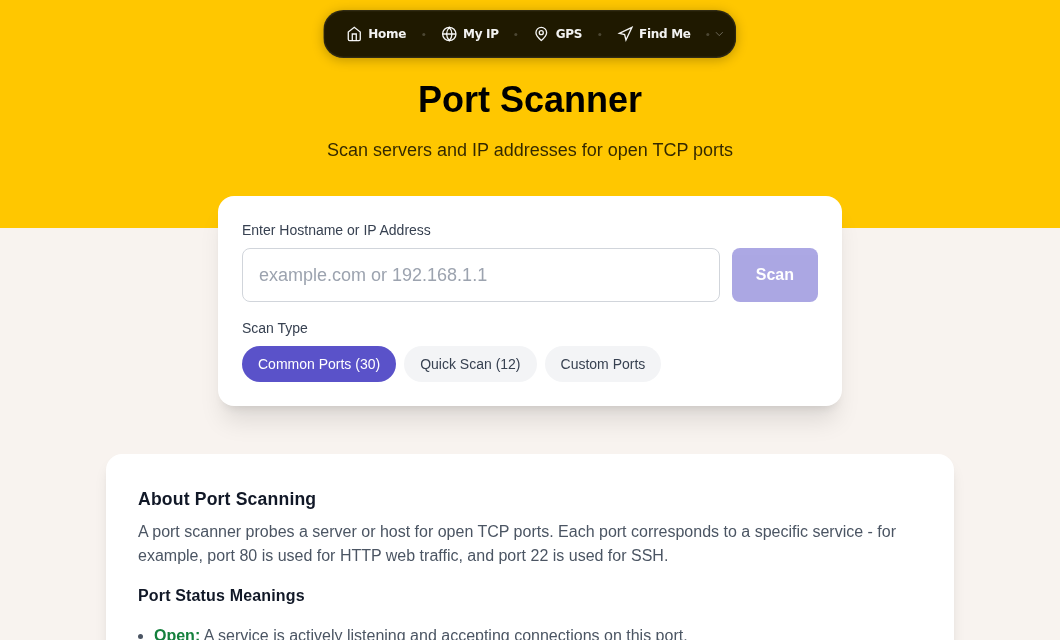
The fastest way to see what is visible from outside your network is to use our Port Scanner. It tests the most commonly exploited ports and tells you whether each one is open, closed, or filtered from an external vantage point.
My rule: run an external scan any time you make a firewall change, spin up a new service, or add a device to your network. It takes under a minute and catches misconfigurations before they become incidents.
For home routers and home networks:
- Find your public IP at /my-ip.
- Run the port scanner against that IP.
- If you see RDP (3389), SMB (445), or database ports open, check your router's port-forwarding rules and your device firewalls. Home routers do not typically forward these by default, so an unexpected open port usually means either a forwarding rule you forgot or UPnP automatically opening it.
Pair this with a review of your Wi-Fi security settings to make sure your internal network segments are also protected.
Best Practices for Keeping Your Attack Surface Small
1. Default-deny firewall policy. Block everything inbound, then explicitly allow only the ports your services actually need. Both iptables/nftables on Linux and Windows Defender Firewall support this approach natively.
2. Scan regularly. An open port that appeared last week can be the result of a software update enabling a service, a misconfigured UPnP rule, or someone adding a device. Weekly scans on internet-facing systems are reasonable; monthly is a minimum.
3. Network segmentation. Do not put IoT devices, servers, and workstations on the same flat network. Keep them on separate subnets with firewall rules controlling what can reach what. Even basic consumer routers support a guest VLAN for this purpose. This limits what an attacker can reach if one device is compromised.
4. Keep services patched. An open port running a patched, current service is significantly less dangerous than an open port running an unpatched one. Automate security updates where feasible.
5. Disable what you are not using. If a service is running but not needed, stop it and disable it from starting on boot. Fewer running services means fewer possible ports to inadvertently expose.
The Legality Line: Scan What You Own
Scanning your own systems is legal and recommended. It is a standard part of security auditing and no different in principle from checking whether your own front door is locked.
Scanning systems you do not own without explicit written permission is a different matter. In the United States, the Computer Fraud and Abuse Act (CFAA) can apply to unauthorized access including unauthorized scanning, even though the law does not name port scanning explicitly. In the United Kingdom, the Computer Misuse Act may treat unauthorized scanning as unauthorized access. Laws in other jurisdictions vary. The practical rule: get written permission before scanning anything that is not yours.
Common Questions
Is port scanning illegal?
Scanning your own systems is legal in virtually every jurisdiction and is a recommended security practice. Scanning systems you do not own without permission crosses into legally risky territory. In the US, the CFAA can be applied to unauthorized network access, and UK courts may treat unauthorized scanning as an offence under the Computer Misuse Act. When in doubt, get written authorization first.
How do I find out which ports are open on my own router or home network?
Use our Port Scanner from inside or outside your home network. For an external view (what the internet sees), go to /my-ip to get your public IP, then run the scanner against it. For an internal view (what devices on your network see), you would need a command-line tool like nmap installed on a device on your local network and scan your router's internal IP (typically 192.168.1.1 or 192.168.0.1).
What is the difference between a closed port and a filtered port?
A closed port actively responds with a TCP RST packet, telling you the host is reachable but nothing is running there. A filtered port returns no response at all, usually because a firewall is silently dropping the probe. Filtered is the more secure state: it gives a scanner no confirmation that the host even exists on that address.
Why does my port scanner show port 80 open even though I have a firewall?
Port 80 may be intentionally forwarded through your firewall to reach a web server, NAS device, router admin panel, or similar service on your network. Check your router's port-forwarding rules. If you did not set up a rule for port 80 and it still shows open, UPnP may have opened it automatically. Disable UPnP on your router unless you specifically need it, and add a manual rule for each port you actually intend to expose.
How do attackers use port scanning to find targets?
Attackers run automated scans across massive ranges of IP addresses, looking for open ports associated with vulnerable services. Exposed RDP on port 3389 and SMB on port 445 are frequent targets for ransomware delivery. Open database ports (3306, 5432) are probed for default or weak credentials. An exposed Telnet port on port 23 signals an older device that is unlikely to be patched. Understanding which ports draw the most automated attention is useful for prioritizing what to close first.
Sources

WhatIsMyLocation Team
Our team of network engineers and web developers builds and maintains 25+ free networking and location tools used by thousands of users every month. Every article is reviewed for technical accuracy using real-world testing with our own tools.
Related Articles
Try Our Location Tools
Find your IP address, GPS coordinates, and more with our free tools.