
Summarise this article with:
The Five Classes in One Minute
Every HTTP response starts with a three-digit code, and the first digit tells you who has the problem. 1xx means the request is in progress. 2xx means it worked. 3xx means the client must go somewhere else. 4xx means the client made a mistake. 5xx means the server failed. That one-digit prefix is enough to immediately narrow down what happened, even before you read the full code.
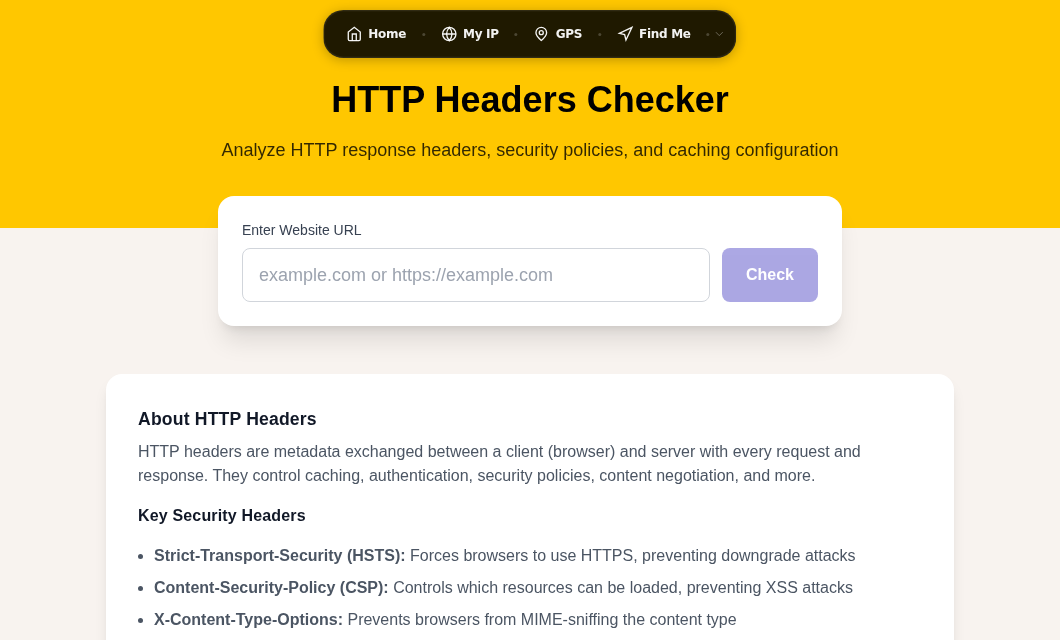
You can verify the exact code any URL returns using our HTTP Headers tool, which shows the full response including status line, server, caching, and security headers.
| Class | Range | What it means |
|---|---|---|
| Informational | 1xx | Request received, processing underway |
| Success | 2xx | Request accepted and fulfilled |
| Redirection | 3xx | Client must follow up at a different URL |
| Client Error | 4xx | The request itself was the problem |
| Server Error | 5xx | The server failed on a valid request |
1xx Informational
These rarely appear in browser devtools because they are typically consumed by the HTTP stack before a response reaches application code.
| Code | Name | When you see it |
|---|---|---|
| 100 | Continue | Server accepted headers; client may send the body (used with large uploads) |
| 101 | Switching Protocols | Upgrade handshake, most commonly HTTP to WebSocket |
| 103 | Early Hints | Server pushes link preload headers before the final response is ready |
100 Continue saves bandwidth on large POST bodies. The client sends headers first with Expect: 100-continue, waits for the server to confirm it will accept the payload, then sends the body. If the server would reject the request (wrong content type, missing auth), it can say so before the client wastes time uploading.
103 Early Hints is the newest addition, defined in RFC 8297. It lets a server tell the browser which CSS and JavaScript to preload while the main response is still being assembled, shaving render-blocking time off page load.
2xx Success
| Code | Name | Typical use |
|---|---|---|
| 200 | OK | Every normal page load or API response |
| 201 | Created | POST that created a record (REST APIs) |
| 204 | No Content | Successful DELETE or update with no response body |
| 206 | Partial Content | Byte-range video streaming or resumable downloads |
200 OK is the baseline. If every request on a healthy site returns 200, everything is working.
204 No Content is exactly right for DELETE endpoints. The resource is gone; there is nothing to return. Some APIs mistakenly return 200 with an empty body instead, which is harmless but semantically incorrect per RFC 9110.
206 Partial Content powers streaming video. The browser sends a Range: bytes=0-1048575 header, and the server returns only that slice. This lets video players jump to arbitrary timestamps without downloading the whole file.
3xx Redirection
This is the class where a wrong choice quietly damages SEO or breaks API clients.
| Code | Name | Method preserved? | Permanent? |
|---|---|---|---|
| 301 | Moved Permanently | No (method may change to GET) | Yes |
| 302 | Found | No (method may change to GET) | No |
| 304 | Not Modified | n/a | n/a |
| 307 | Temporary Redirect | Yes | No |
| 308 | Permanent Redirect | Yes | Yes |
301 Moved Permanently - the SEO redirect
Use 301 whenever a URL has changed for good. The browser (and search engine crawler) updates its records to point directly at the new URL on all future visits. Google has confirmed that 301 redirects pass ranking signals to the destination URL, which makes them the correct tool for domain migrations, HTTPS upgrades, and any permanent URL restructuring.
A 301 may cause the browser to change the HTTP method to GET on the redirect, per RFC 9110 Section 15.4.2. If you are redirecting a POST form submission and need the method preserved, use 308.
302 Found - temporary, use carefully
A 302 tells crawlers to keep the original URL in the index because the move is temporary. That is exactly right for maintenance pages, A/B test variants, and seasonal campaign URLs where the original address will be active again.
The common mistake is using 302 when you mean 301. A permanent URL change with a 302 in place means search engines continue treating the original URL as canonical, and ranking signals do not consolidate on the new destination. The fix is straightforward: swap the 302 for a 301.
304 Not Modified - caching in action
304 is not an error. It means the browser sent a conditional request (If-None-Match or If-Modified-Since) and the server confirmed the cached version is still current. The browser renders from its local cache and no body is transferred. This is the normal result of a well-functioning HTTP caching layer.
4xx Client Errors
The problem is in the request. These are the codes end users and developers encounter most often.
| Code | Name | Common trigger |
|---|---|---|
| 400 | Bad Request | Malformed JSON, invalid characters in URL, missing required field |
| 401 | Unauthorized | Missing or expired authentication token |
| 403 | Forbidden | Valid credentials, but insufficient permission |
| 404 | Not Found | Page deleted, URL typo, CMS permalink change |
| 405 | Method Not Allowed | POST to a GET-only endpoint |
| 408 | Request Timeout | Client too slow to finish sending (common on large uploads over slow connections) |
| 429 | Too Many Requests | Rate limit hit |
403 vs 404 - a deliberate choice
These two codes serve different purposes in access control, and the choice is a deliberate design decision.
403 Forbidden is the honest answer when the resource exists but the authenticated user lacks permission. A user trying to view another account's billing page should see 403, not 404. It is honest, and it tells the user to check their role or contact an admin.
404 is a valid choice when you do not want to reveal that a resource exists at all. An admin panel URL, a private file path, a tenant-scoped API endpoint, returning 404 instead of 403 prevents enumeration attacks, where a caller probes a URL space to discover which resources exist. If you have already published the URL in documentation, 403 is more appropriate. If the URL is secret, 404 prevents information leakage.
RFC 9110 explicitly permits this: "a server that wishes to not disclose which resources exist may instead respond with a status code of 404." Our IP Lookup tool can confirm whether your IP is likely being blocked at the firewall level before a request ever reaches the application that would return 403.
429 Too Many Requests - handling rate limits correctly
429 was formally defined in RFC 6585 (2012) and is the standard way to signal rate limiting. Servers may include a Retry-After header in the response, in either of two formats: a plain integer (seconds to wait) or an HTTP-date (the exact timestamp when the limit resets).
HTTP/1.1 429 Too Many Requests
Retry-After: 60
When your code hits a 429, the right response is to read Retry-After and wait. If no header is present, use exponential backoff: wait 1 second, then 2, then 4, and so on, with a jitter factor to prevent thundering-herd effects when many clients retry simultaneously. Never retry immediately in a tight loop, that will extend the block and may result in a longer ban.
My rule: treat every 429 as a signal to add backoff logic, not to increase concurrency.
5xx Server Errors
The request was valid. The server could not fulfill it.
| Code | Name | What it means |
|---|---|---|
| 500 | Internal Server Error | Unhandled exception, the catch-all |
| 502 | Bad Gateway | Proxy got an invalid or no response from upstream |
| 503 | Service Unavailable | Server deliberately unavailable (maintenance or overload) |
| 504 | Gateway Timeout | Proxy connected but upstream took too long to respond |
500 Internal Server Error
500 is the server's "I failed and I can't tell you why" response. Common triggers: an unhandled exception in application code, a failed database connection, a corrupted .htaccess file on Apache, or memory exhaustion. Check server-side logs for the actual stack trace, the 500 itself contains no diagnostic information for the client.
Troubleshooting checklist:
- Open the application error log (not the access log).
- Reproduce with the fewest steps possible.
- Test database connectivity separately.
- Review the most recent deployment for the introduced change.
- On Apache, temporarily rename
.htaccessto rule it out.
502 vs 503 vs 504 - sorting out the gateway codes
These three are easy to confuse because they all indicate a problem behind the front-end server.
502 Bad Gateway means the proxy (Nginx, a CDN, a load balancer) received an invalid or refused response from the upstream. The upstream was unreachable, returned garbage, or the SSL handshake failed. Check whether the upstream application is actually running. You can verify upstream certificate issues with our SSL Checker.
504 Gateway Timeout means the proxy connected successfully but the upstream took longer than the configured timeout to return a response. The first instinct is usually "raise the timeout." That is almost always wrong, it just gives a slow upstream more time to finish something that should be fixed. Find the slow database query or expensive computation and optimize it. Use Traceroute to rule out network latency between the proxy and the upstream host.
The distinction: 502 = upstream is broken or down. 504 = upstream is slow.
503 Service Unavailable is the intentional, controlled variant. It means the server is temporarily not accepting requests, typically during a planned maintenance window or when resources are exhausted. The key difference from 502 and 504 is that 503 is almost always something the server is deliberately sending, not a failure.
Always pair a 503 with a Retry-After header:
HTTP/1.1 503 Service Unavailable
Retry-After: 3600
Googlebot respects Retry-After on 503 responses and holds indexed URLs while waiting. Without the header, a 503 lasting more than a day or two can cause pages to drop from Google's index. The Google Search Central guidance is clear: 503 with Retry-After is the correct pattern for planned downtime.
Inspecting Status Codes in Practice
Browser developer tools
- Open DevTools (F12 or Cmd+Option+I on macOS).
- Go to the Network tab.
- Reload the page.
- Click any request row to see its status code and full headers.
HTTP Headers tool
Visit our HTTP Headers tool and enter any URL to see the response status, server headers, caching directives, and security headers without opening a terminal.
cURL
curl -I https://example.comThe -I flag fetches headers only. For just the status code number:
curl -o /dev/null -s -w "%{http_code}" https://example.comQuick Reference
| Code | Name | Class | Action |
|---|---|---|---|
| 200 | OK | 2xx | Nothing needed |
| 201 | Created | 2xx | Nothing needed |
| 204 | No Content | 2xx | Nothing needed |
| 206 | Partial Content | 2xx | Nothing needed (range request fulfilled) |
| 301 | Moved Permanently | 3xx | Update links; search engines follow |
| 302 | Found | 3xx | Verify you did not mean 301 |
| 304 | Not Modified | 3xx | Nothing needed (cache hit) |
| 307 | Temporary Redirect | 3xx | Method preserved; use for POST flows |
| 308 | Permanent Redirect | 3xx | Method preserved; use instead of 301 for POST |
| 400 | Bad Request | 4xx | Fix request format or parameters |
| 401 | Unauthorized | 4xx | Supply or refresh credentials |
| 403 | Forbidden | 4xx | Check user permissions; consider 404 for hidden resources |
| 404 | Not Found | 4xx | Fix broken links; add 301 redirects from old URLs |
| 429 | Too Many Requests | 4xx | Implement Retry-After backoff |
| 500 | Internal Server Error | 5xx | Check server error logs |
| 502 | Bad Gateway | 5xx | Check upstream application; verify SSL cert |
| 503 | Service Unavailable | 5xx | Add Retry-After header; limit downtime duration |
| 504 | Gateway Timeout | 5xx | Optimize slow upstream operations |
Common Questions
Is a 301 or 302 redirect better for SEO?
Use 301 for any URL that has permanently moved. The 301 tells search engines to transfer ranking signals to the new URL and update their index. A 302 tells crawlers the original URL is still the canonical one, so no signal transfer happens. The practical risk: accidentally using a 302 for a permanent move is one of the most common ways a URL change silently fails to carry its SEO value. Use 302 only when the original URL genuinely will be active again in the near future.
Why does my site return 403 instead of 404 for missing pages?
Some servers are configured to return 403 Forbidden when a directory exists but lacks an index file or when directory listing is disabled. The server is correctly reporting that the directory is there but access is refused, rather than claiming the path does not exist. If you want a clean 404, create an index file in the directory, disable the directory in your web server config, or add a rewrite rule that returns 404 for those paths.
How do I fix a 502 Bad Gateway error?
First, confirm the upstream application is running. On a typical Nginx-plus-Node or Nginx-plus-PHP setup, a 502 almost always means the backend process has crashed or is not listening on the socket Nginx expects. Check the application process list (systemctl status your-app), inspect the application error log, and verify the proxy_pass address in Nginx matches where the app is actually listening. If the backend uses HTTPS internally, a certificate mismatch or expired cert will also produce a 502.
What happens to my Google rankings if my site returns 503 for a day?
Googlebot treats 503 as a temporary state and backs off rather than removing pages immediately. If you include a Retry-After header, Googlebot will respect it and return closer to that time. Short planned maintenance windows under 12 to 24 hours typically have no lasting ranking effect. Extended outages of several days risk pages being marked as unavailable and eventually dropped from the index, though they can recover once the site is stable again. The Google Search Central blog explicitly recommends returning 503 with Retry-After for planned downtime rather than letting the server silently fail.
Sources

WhatIsMyLocation Team
Our team of network engineers and web developers builds and maintains 25+ free networking and location tools used by thousands of users every month. Every article is reviewed for technical accuracy using real-world testing with our own tools.
Related Articles
Try Our Location Tools
Find your IP address, GPS coordinates, and more with our free tools.