
Summarise this article with:
What Actually Works (and the Catch)
No app you download from the App Store can spoof your iPhone's GPS. Apple's sandboxing prevents any App Store app from touching system-level location services, so the dozens of "fake GPS" apps in search results are either VPN tools (which only change your IP, not your GPS) or outright scams. The two methods that genuinely work both require a desktop computer and a USB cable, at least for setup.
Before going further: if your goal is privacy rather than faking a specific coordinate, iOS already gives you better tools than spoofing. Jump to the Privacy Without Spoofing section below.
Why Apple Makes This Hard
iOS combines GPS, Wi-Fi positioning, cell tower triangulation, and motion sensors to build a location reading. Apps receive that reading through a sandboxed API; they cannot inject data into it. Android exposes a "mock location" developer toggle that lets a local app override GPS. iOS has no equivalent user-facing toggle. Apple's design means any working spoof has to happen at a level below the app sandbox, which is why every legitimate solution routes through a Mac or Windows desktop tool.
This also explains why spoofer apps need ongoing paid subscriptions. Each iOS update can tighten the channel those tools exploit, so the vendor has to ship patches to stay compatible.
Method 1: Xcode Simulate Location (Free, Mac Required)
This is Apple's own developer tool, and it is the most reliable method. Xcode lets you feed a fake GPS coordinate to a connected iPhone, and because it operates at the debug layer, it works system-wide while the session is active.
What you need:
- A Mac (Xcode is Mac-only)
- iPhone connected by USB cable
- Xcode installed (free from the Mac App Store)
- A free Apple ID (no paid developer account required)
- Developer Mode enabled on the iPhone
Enable Developer Mode first: Settings > Privacy & Security > Developer Mode, toggle it on, and restart when prompted. This setting appeared in iOS 16 and remains in iOS 18.
Steps to simulate location:
- Open Xcode, go to Window > Devices and Simulators, and trust your iPhone if prompted
- Open any project or create a blank one, then build and run it on your iPhone
- While the app is running, go to the Debug menu > Simulate Location
- Choose a preset city or select "Add GPX File to Project" for a custom coordinate
The iPhone now reports the simulated location to all apps that request it. The catch: this only works while Xcode is actively running a debug session on the connected device. Disconnect the cable or stop the session, and GPS snaps back to real-world position.
In my testing, the location override reaches weather apps, Maps, and location-based games consistently, though some apps with their own sensor cross-checks can detect inconsistencies.
Who this is for: iOS developers testing location-aware features, QA engineers verifying geofence triggers, or privacy-conscious users who want a one-time coordinate override during a specific session.
Method 2: Desktop Spoofer Apps (Paid, Untethered After Setup)
Tools like iAnyGo (Tenorshare), AnyGo (iToolab), and Dr.Fone Virtual Location work by running a desktop application on Windows or Mac, connecting your iPhone via USB during initial setup, and then injecting a virtual location that persists without keeping the cable plugged in.
These are not App Store apps. You download and run them on your computer. The iPhone connection during setup establishes the spoofed location, after which many of these tools maintain the override even when you unplug the cable, until you revert or restart.
Typical pricing ranges from roughly $10 to $40 per month, or a higher one-time fee. The subscription model reflects the maintenance cost of staying compatible with iOS updates.
Features common to these tools:
- Set a static pin anywhere on the map
- Simulate movement along a route at a chosen speed (useful for game spoofing)
- Import GPX files for custom paths
The trust question: These tools require you to trust a third-party application with deep access to your device during the USB setup phase. Read their privacy policies before use, and download only from official vendor websites, not mirror sites.
As with Xcode, the next iOS update can break compatibility. Check that the tool explicitly lists support for your iOS version before purchasing.
VPN: What It Does and Does Not Do
A VPN changes your IP address, which changes what services see as your network location. It does not touch GPS. This matters because the two types of "location" are separate:
- IP-based location: What a website or streaming service sees based on your network connection. A VPN changes this.
- GPS location: What apps like Maps, weather, and location-based games read from the device's hardware sensors. A VPN does not change this.
VPNs work for: region-locked streaming, websites that check IP for content availability, and some app stores.
VPNs do not work for: Pokemon Go, Find My, turn-by-turn navigation, or any app that reads the GPS hardware.
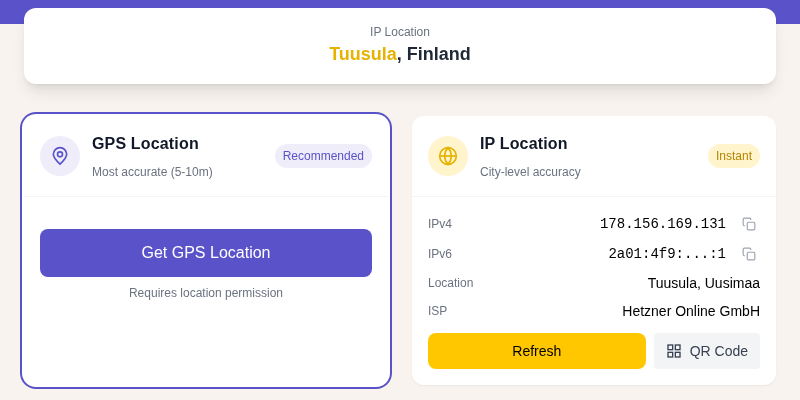
If you want to check whether a VPN is actually masking your IP correctly, run a VPN leak test to confirm no real IP is leaking. You can also check what IP location your connection currently reports.
For a deeper look at how IP-based and GPS-based location differ, see GPS vs. IP location: what's the difference.
Account Ban and Trust Risks
Spoofing location carries real account consequences, not just game bans.
Pokemon Go: Niantic detects spoofing through impossible movement speeds, IP-to-GPS mismatches (your cell tower says one city, GPS says another), and behavioral pattern analysis. Their graduated system runs: Strike 1 = warning plus seven days of reduced spawns, Strike 2 = 30-day suspension, Strike 3 = permanent ban. No spoofing method is undetectable; the risk is a matter of when, not if.
Dating apps: Tinder and similar apps flag accounts when IP location and GPS location do not match, or when location changes in ways that are not physically possible. Frequent unexplained location jumps can result in shadowbans or account termination.
Banking and financial apps: Banks cross-reference GPS data with other device signals to detect fraud. A location that contradicts your cell tower signal or transaction history can trigger account reviews or temporary freezes. This is not a theoretical concern, it is an active fraud detection layer.
App Store and Apple services: Spoofing location to bypass regional pricing or access region-restricted apps can violate Apple's Terms of Service. Apple can suspend Apple IDs in confirmed cases.
The privacy-minded use cases (developer testing, hiding your location from a specific app) carry much lower risk than game cheating or regional bypasses. Know which category your use case falls into.
Privacy Without Spoofing
If you want apps to stop seeing your real location, iOS gives you direct controls that are simpler and safer than spoofing.
Go to Settings > Privacy & Security > Location Services. For each app, you can set:
- Never: App gets no location data
- While Using the App: Location only when the app is open on screen
- Approximate Location (toggle): Shares a neighborhood-level area instead of a precise coordinate
For most apps, "Never" or "Approximate" satisfies the goal without any spoofing risk. This is the approach I recommend for apps that ask for location but do not strictly need it, like a recipe app or a news reader.
Apple Support documents these settings at support.apple.com/en-us/102647.
For more on how to fix unwanted location tracking on iPhone, see how to fix location services not working on iPhone.
FAQ
Can I spoof my iPhone location without a computer?
Not reliably. Apple's App Store does not allow GPS spoofing apps, so any app claiming to do this from the phone alone is either lying or doing something different (like changing your IP via VPN). Both working methods, Xcode and desktop spoofer tools, require a Mac or Windows computer during setup.
Will Xcode location simulation work after I unplug my iPhone?
No. Xcode's location simulation is active only during an active debug session with the device connected via USB. The moment you stop the session or disconnect the cable, iOS reverts to real GPS. The paid desktop spoofer tools are designed specifically to work untethered after the initial setup.
Does spoofing GPS affect Find My on iPhone?
No. Apple's Find My uses end-to-end encrypted location reporting that is tied to your Apple ID and device at a level separate from the GPS feed apps read. Spoofing your location in third-party apps does not affect what Find My reports to your Apple account or to people you share location with. If you want to stop sharing location via Find My, do it inside the Find My app directly.
Why do "fake GPS" apps on the App Store not work for iPhone?
Apple's iOS sandboxing prevents any App Store app from modifying the system-level GPS feed. On Android, a developer-mode toggle called "mock location" lets a local app override GPS data for all other apps. No equivalent exists on iOS. App Store apps that claim to fake GPS are either VPN tools that only change your IP, or they simply do not work as advertised.
Is it illegal to spoof your location on iPhone?
Spoofing location is not universally illegal, but specific uses can cross legal lines. Using a fake location to commit fraud, bypass court-ordered location monitoring, or access services in jurisdictions where they are prohibited is illegal in most places. Developer testing, privacy from app tracking, or accessing content in a different region sits in a legally grey area that depends on the app's terms of service and your local laws. This guide covers the techniques; whether a specific use case is appropriate is a question for your own judgment.
Sources

WhatIsMyLocation Team
Our team of network engineers and web developers builds and maintains 25+ free networking and location tools used by thousands of users every month. Every article is reviewed for technical accuracy using real-world testing with our own tools.
Related Articles
Try Our Location Tools
Find your IP address, GPS coordinates, and more with our free tools.