
Summarise this article with:
WHOIS Lookup: How to Find Who Owns a Domain Name in 2026
Every domain on the internet was registered by someone, and WHOIS is the system that was built to tell you who. It is one of the oldest tools online, older than the web itself. But the version of WHOIS most articles describe stopped existing in 2025, and if you follow their advice you will be looking for owner names that no registrar is allowed to publish anymore.
This guide is the honest, current version. I run the lookups behind our own WHOIS Lookup tool, and the registration data world changed twice in 2025: the WHOIS protocol was formally retired, and ICANN cut down what registrars are required to collect at all. Here is what you can actually see today, what is hidden, and how to find a real owner when the public record gives you nothing.
What changed in 2025 (read this first)
Most WHOIS guides were written before 2025 and are now wrong in two specific ways. If you understand these two events, everything else about modern domain lookups makes sense.
1. The WHOIS protocol was officially sunset on 28 January 2025. ICANN retired the old port-43 WHOIS service for generic top-level domains (gTLDs like .com, .net, .org) and made RDAP (Registration Data Access Protocol) the definitive source for registration data. Many registrars still keep a WHOIS endpoint running for backward compatibility, but they are no longer required to, and the authoritative data now comes from RDAP. Our tool queries RDAP first and only falls back to legacy WHOIS for registries that have not migrated yet. (Source: ICANN, "Launching RDAP; Sunsetting WHOIS".)
2. ICANN's Registration Data Policy took effect on 21 August 2025. This is the bigger change for anyone trying to find an owner. The policy ended the requirement to collect and publish administrative and billing contacts at all, made the technical contact optional (and it can be a generic address like [email protected]), and confirmed that if you list an organization, that organization is treated as the legal owner of the domain. (Source: ICANN Registration Data Policy.)
> Key takeaway: A blank or redacted owner field in 2026 is the normal, lawful default, not a sign that someone bought a special privacy product or that something is wrong. Redaction is now built into the system.
What a WHOIS / RDAP lookup actually shows today
A modern lookup returns two kinds of data: technical fields that are still public, and personal contact fields that are now redacted. Here is exactly what falls into each bucket.
| Field | Still public in 2026? | Example |
|---|---|---|
| Domain name | Yes | example.com |
| Registrar | Yes | Cloudflare, Namecheap, GoDaddy |
| Creation date | Yes | 2010-03-15 |
| Expiry date | Yes | 2027-03-15 |
| Last updated date | Yes | 2026-01-10 |
| Name servers | Yes | ns1.cloudflare.com |
| Domain status codes | Yes | clientTransferProhibited |
| DNSSEC | Yes | unsigned |
| Registrant name | Usually redacted | REDACTED FOR PRIVACY |
| Registrant email | Usually redacted or proxied | a web form link |
| Registrant phone / address | Usually redacted | REDACTED FOR PRIVACY |
| Registrant organization | Shown if the owner entered one | Acme Corp |
| Admin / billing contact | No longer collected | not applicable |
The one personal field that often survives is registrant organization. Companies frequently leave it populated because the Aug 2025 policy treats it as the legal owner, and because business names are not personal data under GDPR. If you only check one field to identify a serious site, check the organization line.
Run a live WHOIS lookup on any domain to see this split for yourself. It pulls RDAP data and formats it without any command-line work.
Why the owner name says "REDACTED FOR PRIVACY"
This trips up a lot of people, so it is worth being precise. There are now three overlapping reasons a name is hidden, and only one of them is the optional product you can buy.
- GDPR (since May 2018): WHOIS data contains personal information of EU residents, so registrars were forced to stop publishing it. This is why redaction first appeared.
- ICANN's 2025 Registration Data Policy: registrars must now show text "substantially similar to REDACTED FOR PRIVACY" for protected fields unless the owner explicitly consents to publish. This makes redaction the default across gTLDs, paid privacy or not. (Source: DN.org on redacted RDAP fields.)
- Domain privacy / WHOIS privacy (optional): a registrar service that swaps your details for a proxy. It used to be the only thing hiding your name. Today it mostly matters for the contact-relay email and for the minority of cases where data would otherwise be shown.
> Key takeaway: In 2026 the registrant name is hidden by default on almost every modern gTLD domain. Paying for "privacy" is no longer what turns redaction on; the policy already does that.
RDAP vs WHOIS: what the new protocol gives you
RDAP is not just a renamed WHOIS. It is a genuinely better protocol, which is why ICANN standardized on it. The practical differences:
| Old WHOIS | RDAP (the 2025 standard) | |
|---|---|---|
| Output format | Unstructured free text | Structured JSON, same field names everywhere |
| Transport | Plain port 43 (unencrypted) | HTTPS, encrypted in transit |
| Internationalization | Inconsistent | Full Unicode, language and script tags |
| Access model | All-or-nothing | Tiered: public sees redacted, verified parties can be granted more |
| Authentication | None | Supports OAuth-style identity (e.g. an owner viewing their own record) |
That tiered access model is the important one. WHOIS could only ever show everyone the same thing, so GDPR forced it to show everyone almost nothing. RDAP can return a redacted record to an anonymous query and a fuller record to an authenticated, authorized party, which is the legal basis for the request service covered below. (Source: RDAP vs WHOIS, Dynadot.)
How to run a WHOIS / RDAP lookup
Method 1: Our online tool (no setup)
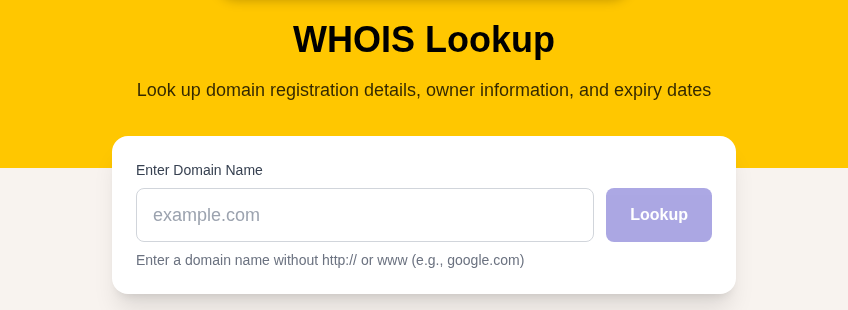
The fastest path is our WHOIS Lookup tool. Type a domain, and it returns the registrar, computed domain age, days until expiry, status codes, name servers, DNSSEC state, and any public registrant organization or country. It queries RDAP under the hood, so the data matches what the authoritative source returns.
Method 2: ICANN's official lookup
ICANN runs its own free RDAP-based lookup at lookup.icann.org. It is the canonical reference if you want to confirm a result, and it is also the first stop ICANN tells you to check before filing a data request.
Method 3: Command line (macOS / Linux)
The whois command is built into Unix systems and still works against registries that keep WHOIS alive:
whois example.comFor an IP address:
whois 8.8.8.8For RDAP directly, many systems and clients support it over plain HTTPS, so you can also hit a registry's RDAP endpoint in a browser or with curl and read the JSON.
Method 4: Windows
WHOIS is not built into Windows. Microsoft's free Sysinternals whois.exe tool covers it; download it from the official Sysinternals page and drop it in your PATH.
How to read the results
Domain status (EPP) codes
Status codes tell you what is currently allowed on a domain. ICANN maintains the official EPP status code reference; here are the ones you will actually see:
- clientTransferProhibited, the domain is locked against registrar transfer. This is a normal security setting on most established domains, not a warning sign.
- clientUpdateProhibited / clientDeleteProhibited, contact data cannot be changed, or the domain cannot be deleted, without owner action.
- clientHold, the domain has been removed from the zone file, so its website and email stop working. Registrars set this when a domain expires or when the owner fails ICANN's WHOIS verification within 15 days of registration.
- redemptionPeriod, the domain expired and is in a 30-day grace window where the original owner can still pay to restore it before anyone else can grab it.
- pendingDelete, the redemption window closed. The domain sits here for 5 calendar days, then drops from the registry and becomes available to register again.
> Key takeaway: A domain in redemptionPeriod is expired but recoverable for 30 days. Once it hits pendingDelete, it drops in about 5 days. If you are waiting to grab an expiring name, those two windows are your timeline.
Registration age as a trust signal
This is the single most useful thing a lookup tells you about a stranger's website, and it is one place the personal-data redaction does not hurt you, because the creation date is always public.
A domain registered in the last few weeks, paired with a checkout page or a login form, is a serious red flag. Palo Alto Networks' Unit 42 found that more than 70% of newly registered domains are malicious, suspicious, or not safe for work, and the Anti-Phishing Working Group reports that 77% of phishing domains are registered solely to run a phishing campaign. (Sources: Palo Alto Networks on malicious NRDs.) Attackers typically register a name, weaponize it within 24 to 72 hours, run the scam, and abandon it before a takedown completes. Our tool computes the domain age for you, so you do not have to do the date math.
Legitimate businesses, by contrast, tend to hold their domains for years and renew them well ahead of expiry. Age is not proof of safety, but a domain that is a few days old is a reason to slow down. Cross-check where it is hosted with our IP Lookup tool.
Name servers reveal the hosting stack
The name servers in a record usually identify the host or DNS provider:
ns1.cloudflare.com→ Cloudflare for DNS or full proxyns1.digitalocean.com→ DigitalOceandns1.registrar-servers.com→ still on the registrar's default DNS, common on brand-new or parked domains
For the full DNS picture (A, AAAA, MX, TXT records), pair the lookup with our DNS Lookup tool.
When the owner is redacted: how to actually find them
Redaction does not mean the data is gone. The registrar still holds the real records; they are just not public. Here is the realistic toolkit, in order of effort.
1. Check the registrant organization and country. These survive redaction often enough to be worth a look. A company name here is your strongest free lead.
2. Use ICANN's RDRS for a legitimate request. The Registration Data Request Service (RDRS) is ICANN's free, central front door for asking registrars to disclose non-public registration data. It launched on 28 November 2023, and ICANN's board extended it through November 2027. During the pilot, participation grew to around 91 registrars and a peak of 8,451 requestor accounts. It is built for consumer-protection advocates, security researchers, IP lawyers pursuing UDRP cases, and law enforcement, and disclosure is never automatic: each registrar reviews each request case by case against the law and the evidence you provide. (Source: ICANN RDRS.)
3. Read the SSL certificate. Many certificates, especially Organization Validated (OV) and Extended Validation (EV) ones, name the company that requested them. Our SSL Checker tool surfaces the certificate's organization field, which can name an owner that WHOIS hides.
4. Check web archive snapshots. Older captures of a site sometimes predate redaction or contain an "About" or contact page that names the operator.
5. Look at the hosting infrastructure. An IP Lookup on the server, plus shared-hosting and reverse-DNS patterns, can connect a redacted domain to other sites run by the same operator.
Domain privacy in 2026: it is free now
The old advice that privacy "costs $1 to $15 a year" is out of date. WHOIS privacy is now a baseline feature, not a paid add-on, at every major registrar. Combined with the default redaction from ICANN's 2025 policy, most personal data simply is not exposed regardless of what you pay.
| Registrar | WHOIS privacy | Typical .com renewal (2026) |
|---|---|---|
| Cloudflare Registrar | Free | ~$10.44 (at-cost) |
| Porkbun | Free | ~$11.06 flat, no renewal jump |
| Namecheap | Free | ~$13.98 |
Prices move and registrars run promos, so treat these as the durable pattern (privacy free, renewals in the ~$10–$14 range for .com) rather than a quote to hold them to. (Sources: registrar pricing roundups, domaindetails.com cheapest-registrars; Porkbun vs Namecheap 2026.) Two honest caveats remain:
- Privacy is not anonymity. The registrar still holds your real data and must hand it over to a valid legal request through RDRS or a court order.
- Some country-code TLDs run their own rules. A few ccTLDs do not allow privacy at all; others, like .uk, hide individuals by default but not businesses.
Country-code TLDs work differently
WHOIS and RDAP for gTLDs follow ICANN. Country-code TLDs (.uk, .de, .eu, and the rest) are each run by their own national registry with its own rules, so do not assume a .com workflow transfers.
- .uk (Nominet): The public record hides a private individual's name and address by default. Nominet offers a WHOIS opt-out, but only for non-commercial personal domains; commercial registrations stay visible.
- .de (DENIC): Since 2018, DENIC has not published domain ownership data to the general public except in narrow cases, and it now runs an RDAP service that returns the same restricted set as its WHOIS. (Source: DENIC RDAP service.)
If a ccTLD lookup returns nothing useful, that is usually the registry's policy, not a tool failure.
Practical use cases
| Use case | What to look for |
|---|---|
| Verify a website is legitimate | Creation date (age), registrar reputation, registrant organization, hosting country |
| Spot a phishing or scam site | Registered days or weeks ago, generic registrar, redacted everything, default DNS |
| Buy a domain from its owner | Public organization line, registrar's contact-relay form, or an RDRS request |
| Check if a name is available | Status codes and expiry date (redemptionPeriod and pendingDelete mean it may drop soon) |
| Trademark or brand investigation | Registrant organization, creation timeline, then RDRS for the redacted identity |
| Monitor your own domains | Expiry date and clientTransferProhibited lock status |
Limitations to keep in mind
- Owner identity is redacted by default. On modern gTLDs, expect REDACTED FOR PRIVACY on the personal fields. The legitimate path to the real data is RDRS, not the public lookup.
- Accuracy is not guaranteed. Registrants are required to give accurate details, but verification is light, so a redacted or sparse record is normal.
- It is a snapshot, not a history. A standard lookup shows the current record only. Ownership history needs specialized historical-WHOIS databases.
- Updates lag. Changes can take 24 to 48 hours to appear after a registration or transfer.
- ccTLDs are separate systems with their own access rules, as covered above.
FAQ
Is WHOIS still a thing in 2026, or did RDAP replace it?
Both. ICANN sunset the WHOIS protocol for gTLDs on 28 January 2025 and made RDAP the authoritative source, but many registrars still run a WHOIS endpoint for compatibility. In practice you query the same data either way; our tool uses RDAP first and falls back to WHOIS where needed.
Why does the owner's name say "REDACTED FOR PRIVACY"?
Because redaction is now the default. GDPR forced personal data out of public records in 2018, and ICANN's Registration Data Policy (effective 21 August 2025) requires registrars to redact protected fields unless the owner opts in to publish them. It happens whether or not the owner paid for a privacy service.
Can I still find out who owns a domain if it is redacted?
Sometimes, yes. Check the registrant organization (often left visible), read the SSL certificate for a company name, search web archive snapshots, and run an IP lookup on the host. For the actual hidden contact details, file a request through ICANN's RDRS if you have a legitimate legal reason; the registrar decides case by case.
Is a free WHOIS lookup tool as good as a paid one?
For a single domain, yes. A free WHOIS Lookup gives you the registrar, age, expiry, status, and name servers, which is everything you need to vet a site. Paid services add bulk lookups, historical ownership records, and monitoring alerts, which matter for security teams and brand protection, not for a one-off check.
How can I tell if a website is a scam from a WHOIS lookup?
Look at the creation date first. A domain registered in the last few weeks that is asking for money or logins is a strong warning sign; Unit 42 found over 70% of newly registered domains are malicious or suspicious. Combine that with a redacted owner, a default-DNS setup, and an obscure registrar, and treat the site with caution.
Does buying domain privacy hide my information completely?
No. Privacy and the default redaction keep your details out of public view, but the registrar still holds your real data and must disclose it in response to a valid legal request through RDRS or a court order. It is privacy, not anonymity.
What do redemptionPeriod and pendingDelete mean for an expired domain?
redemptionPeriod means the domain expired and the original owner has about 30 days to pay a fee and restore it. pendingDelete means that window closed; the domain sits for roughly 5 days, then drops from the registry and anyone can register it.
Why is .uk or .de WHOIS data different from .com?
Country-code TLDs are run by national registries (Nominet for .uk, DENIC for .de), each with its own access rules. Nominet hides individuals but not businesses and offers an opt-out for personal domains; DENIC has restricted public access since 2018. They do not follow ICANN's gTLD policy.
My take in one sentence
WHOIS in 2026 is no longer about finding a person's name, it is about reading a domain's age, registrar, status, and infrastructure to judge whether you can trust it, and the few fields that are still public are exactly the ones that answer that question.
Bookmark our WHOIS Lookup for quick checks, and pair it with DNS Lookup, IP Lookup, and SSL Checker for the full picture of any domain's ownership and infrastructure.
Related Articles

WhatIsMyLocation Team
Our team of network engineers and web developers builds and maintains 25+ free networking and location tools used by thousands of users every month. Every article is reviewed for technical accuracy using real-world testing with our own tools.
Related Articles
Try Our Location Tools
Find your IP address, GPS coordinates, and more with our free tools.