
Summarise this article with:
The One-Minute Version
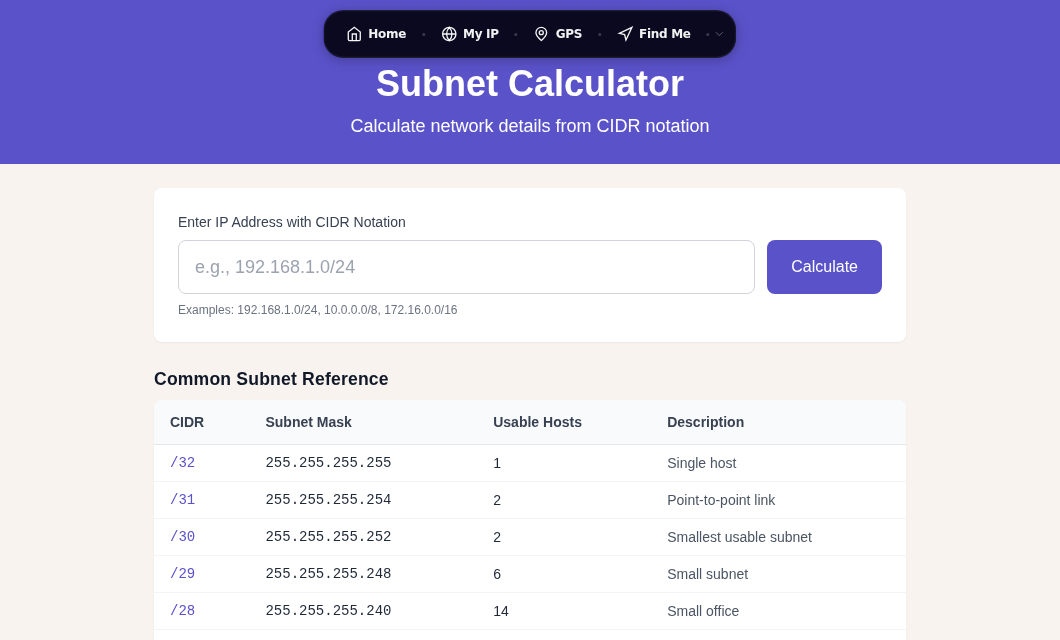
A subnet is a slice of an IP address block, defined by how many bits belong to the network vs. the hosts. Write it as a prefix length after a slash: 192.168.1.0/24 means 24 bits are network, 8 bits are hosts. That gives 2^8 = 256 total addresses, minus 2 reserved (network and broadcast), leaving 254 usable host addresses. Every other prefix length follows the same formula. Use Subnet Calculator to get the full breakdown instantly, or read on to understand the math yourself.
Why Subnetting Exists
In the early internet, IP addresses were allocated using a classful system:
| Class | Range | Default Mask | Hosts per Network |
|---|---|---|---|
| A | 1.0.0.0 - 126.255.255.255 | /8 (255.0.0.0) | 16,777,214 |
| B | 128.0.0.0 - 191.255.255.255 | /16 (255.255.0.0) | 65,534 |
| C | 192.0.0.0 - 223.255.255.255 | /24 (255.255.255.0) | 254 |
This system was wasteful. An organization needing 300 addresses received a Class B allocation (65,534 addresses), wasting over 65,000. Subnetting, formalized as CIDR (Classless Inter-Domain Routing) in the early 1990s, solved this by letting administrators carve networks into right-sized segments, regardless of class boundaries.
Understanding IP Addresses and Subnet Masks
An IPv4 address is a 32-bit number written as four decimal octets. The subnet mask is also 32 bits and divides the address into two parts: the network portion (contiguous 1s) and the host portion (contiguous 0s).
IP Address:    192.168.1.100    = 11000000.10101000.00000001.01100100
Subnet Mask:   255.255.255.0    = 11111111.11111111.11111111.00000000
                                   |------ network ------|-- host --|
A bitwise AND of the IP address and the mask gives the network address:
11000000.10101000.00000001.01100100  (192.168.1.100)
AND
11111111.11111111.11111111.00000000  (255.255.255.0)
=
11000000.10101000.00000001.00000000  (192.168.1.0  ← network address)
CIDR notation compresses the mask to a single number: the count of network bits. 192.168.1.0/24 means 24 bits are network bits (mask = 255.255.255.0).
The Subnetting Workflow
Every subnet calculation follows the same four steps:
- Count host bits - host bits = 32 minus the prefix length
- Calculate total addresses - 2^(host bits)
- Calculate usable hosts - total addresses minus 2 (one for the network address, one for the broadcast address)
- Identify the range - network address, first usable, last usable, broadcast
That four-step loop handles any prefix. The next three sections run it on /24, /27, and /30.
Worked Example: /24
Scenario: You are setting up a typical office LAN at 192.168.10.0/24.
| Step | Calculation | Result |
|---|---|---|
| Host bits | 32 - 24 | 8 |
| Total addresses | 2^8 | 256 |
| Usable hosts | 256 - 2 | 254 |
| Network address | - | 192.168.10.0 |
| First usable | - | 192.168.10.1 |
| Last usable | - | 192.168.10.254 |
| Broadcast | - | 192.168.10.255 |
The subnet mask in dotted notation is 255.255.255.0. With 254 usable addresses, a /24 is the right size for a single floor or small campus segment. If you need to carve it into smaller pieces, read the /27 example next.
Worked Example: /27
Scenario: Your /24 office network (192.168.10.0/24) needs to be split into eight equal segments, each serving a different department.
8 segments requires 3 additional bits (2^3 = 8). New prefix: /24 + 3 = /27.
| Step | Calculation | Result |
|---|---|---|
| Host bits | 32 - 27 | 5 |
| Total addresses | 2^5 | 32 |
| Usable hosts | 32 - 2 | 30 |
| Block size | - | 32 (subnets start every 32 addresses) |
The subnet mask is 255.255.255.224. The eight /27 subnets of 192.168.10.0/24 are:
| Subnet | Network | First Usable | Last Usable | Broadcast |
|---|---|---|---|---|
| 1 | 192.168.10.0/27 | 192.168.10.1 | 192.168.10.30 | 192.168.10.31 |
| 2 | 192.168.10.32/27 | 192.168.10.33 | 192.168.10.62 | 192.168.10.63 |
| 3 | 192.168.10.64/27 | 192.168.10.65 | 192.168.10.94 | 192.168.10.95 |
| 4 | 192.168.10.96/27 | 192.168.10.97 | 192.168.10.126 | 192.168.10.127 |
| 5 | 192.168.10.128/27 | 192.168.10.129 | 192.168.10.158 | 192.168.10.159 |
| 6 | 192.168.10.160/27 | 192.168.10.161 | 192.168.10.190 | 192.168.10.191 |
| 7 | 192.168.10.192/27 | 192.168.10.193 | 192.168.10.222 | 192.168.10.223 |
| 8 | 192.168.10.224/27 | 192.168.10.225 | 192.168.10.254 | 192.168.10.255 |
Notice that the block size (32) tells you where each subnet starts: 0, 32, 64, 96, and so on. Paste any of these into Subnet Calculator to verify the full detail.
Worked Example: /30
Scenario: You need a subnet for the router-to-router link between two sites. You only need two IP addresses.
| Step | Calculation | Result |
|---|---|---|
| Host bits | 32 - 30 | 2 |
| Total addresses | 2^2 | 4 |
| Usable hosts | 4 - 2 | 2 |
| Network address | - | 10.0.0.0 |
| First usable | Router A | 10.0.0.1 |
| Last usable | Router B | 10.0.0.2 |
| Broadcast | - | 10.0.0.3 |
The subnet mask is 255.255.255.252. A /30 is the traditional choice for point-to-point links. If you are tightly conservation-minded, RFC 3021 defines /31 subnets (mask 255.255.255.254) where both addresses are usable host addresses with no network or broadcast, saving two IP addresses per link. Most modern router operating systems support /31; most consumer devices and older Windows stacks do not.
Complete CIDR Reference Table
| CIDR | Subnet Mask | Total Addresses | Usable Hosts | Typical Use |
|---|---|---|---|---|
| /32 | 255.255.255.255 | 1 | 1 | Single host route |
| /31 | 255.255.255.254 | 2 | 2 | Point-to-point (RFC 3021) |
| /30 | 255.255.255.252 | 4 | 2 | Point-to-point (traditional) |
| /29 | 255.255.255.248 | 8 | 6 | Small office segment |
| /28 | 255.255.255.240 | 16 | 14 | Small department |
| /27 | 255.255.255.224 | 32 | 30 | Medium department |
| /26 | 255.255.255.192 | 64 | 62 | Large department |
| /25 | 255.255.255.128 | 128 | 126 | Half a /24 |
| /24 | 255.255.255.0 | 256 | 254 | Standard LAN |
| /23 | 255.255.254.0 | 512 | 510 | Two /24s combined |
| /22 | 255.255.252.0 | 1,024 | 1,022 | Four /24s combined |
| /21 | 255.255.248.0 | 2,048 | 2,046 | Small campus |
| /20 | 255.255.240.0 | 4,096 | 4,094 | Medium campus |
| /16 | 255.255.0.0 | 65,536 | 65,534 | Large organization |
| /8 | 255.0.0.0 | 16,777,216 | 16,777,214 | Massive network |
"Usable hosts" is total addresses minus 2, except /31 (special RFC 3021 point-to-point case) and /32 (single host route where the address itself is the host).
Variable-Length Subnet Masking (VLSM)
Fixed-size subnetting wastes addresses when departments vary in size. VLSM lets you use different prefix lengths within the same address block.
My rule: always allocate the largest subnet first. Starting from the biggest requirement means you never run into an alignment problem where a large block can't fit into what is left.
Example: You have 10.0.0.0/24 and need subnets for:
- Department A: 100 hosts
- Department B: 50 hosts
- Department C: 25 hosts
- Server room: 10 hosts
- Two WAN links: 2 hosts each
Solution (largest first):
| Department | Hosts Needed | Subnet Chosen | Usable | Assigned Network |
|---|---|---|---|---|
| Dept A | 100 | /25 (128 addr) | 126 | 10.0.0.0/25 |
| Dept B | 50 | /26 (64 addr) | 62 | 10.0.0.128/26 |
| Dept C | 25 | /27 (32 addr) | 30 | 10.0.0.192/27 |
| Servers | 10 | /28 (16 addr) | 14 | 10.0.0.224/28 |
| WAN link 1 | 2 | /30 (4 addr) | 2 | 10.0.0.240/30 |
| WAN link 2 | 2 | /30 (4 addr) | 2 | 10.0.0.244/30 |
Total used: 128 + 64 + 32 + 16 + 4 + 4 = 248 addresses out of 256. Six addresses remain unallocated (10.0.0.248-10.0.0.253 plus the block boundaries). That is far better than assigning a separate /24 to each department.
Private Address Ranges (RFC 1918)
Three IPv4 ranges are reserved for private networks by RFC 1918. These addresses are not routed on the public internet and can be used freely within any organization:
| Range | CIDR | Total Addresses | Typical Use |
|---|---|---|---|
| 10.0.0.0 - 10.255.255.255 | 10.0.0.0/8 | 16,777,216 | Large enterprises |
| 172.16.0.0 - 172.31.255.255 | 172.16.0.0/12 | 1,048,576 | Medium organizations |
| 192.168.0.0 - 192.168.255.255 | 192.168.0.0/16 | 65,536 | Home and small office |
Your home router almost certainly assigns addresses from 192.168.0.0/24 or 192.168.1.0/24. That is why your laptop shows something like 192.168.1.45 but a tool like My IP shows a completely different public address. The router performs Network Address Translation (NAT) to bridge the two. For a deeper look at how private and public addresses interact, see Public vs. Private IP Addresses.
IPv6 Subnetting
IPv6 subnetting follows the same prefix-length logic, but scale is not a concern. The conventions for allocation are:
- ISPs typically assign a /48 to each organization (65,536 individual /64 subnets)
- Residential customers often receive a /56 (256 /64 subnets)
- Each /64 is the standard size for a single LAN segment and is required for Stateless Address Autoconfiguration (SLAAC) to function per RFC 4291
With 2^64 host addresses per /64 subnet, address conservation through VLSM is not needed at the LAN level. You can explore IPv6 addresses further with IPv6 Tools.
Key Takeaways
- The usable host count for any subnet is 2^(32 - prefix) - 2
- The four-step workflow (count host bits, total addresses, subtract 2, identify range) works for any CIDR prefix
- /24 gives 254 hosts; /27 gives 30 hosts with a block size of 32; /30 gives 2 hosts for point-to-point links
- VLSM lets you mix prefix lengths; always allocate the largest requirement first
- Private ranges (RFC 1918) are 10.0.0.0/8, 172.16.0.0/12, 192.168.0.0/16
- Use Subnet Calculator for instant results on any block
FAQ
What is the difference between a subnet mask and a CIDR prefix length?
They carry the same information in different formats. A subnet mask is written in dotted-decimal notation, such as 255.255.255.0. The CIDR prefix length, such as /24, is simply the count of the consecutive 1-bits in that mask. Both describe exactly where the network portion ends and the host portion begins in an IP address. Most tools today accept either format.
How many usable hosts does a /27 subnet have?
A /27 has 5 host bits, giving 2^5 = 32 total addresses. Subtract 2 (network address and broadcast address) to get 30 usable host addresses. The subnet mask is 255.255.255.224, and subnets align on boundaries of 32: the first /27 ends at .31, the second starts at .32, and so on.
Why does a /30 subnet only give 2 usable hosts if it has 4 addresses?
The four addresses in a /30 are: the network address (all host bits zero), two usable host addresses, and the broadcast address (all host bits one). The network and broadcast addresses cannot be assigned to devices, leaving exactly 2. The /30 with mask 255.255.255.252 is the traditional choice for a point-to-point router link. RFC 3021 defines /31 as a modern alternative that eliminates the network and broadcast overhead, giving 2 usable addresses from only 2 total, though support varies by operating system and device.
Can I use 192.168.x.x addresses on the internet?
No. The 192.168.0.0/16 range is reserved by RFC 1918 for private use only. Internet routers discard packets sourced from or destined to RFC 1918 addresses, so they never reach the public internet. Your router uses NAT to translate your private 192.168.x.x address to the one public IP address your ISP assigned to you. See Public vs. Private IP Addresses for a full breakdown of how NAT works.
Sources
- RFC 1918 - Address Allocation for Private Internets
- RFC 3021 - Using 31-Bit Prefixes on IPv4 Point-to-Point Links
- Classless Inter-Domain Routing - Wikipedia
- Understanding CIDR Subnet Mask Notation - pfSense Documentation
- Variable Length Subnet Mask (VLSM) - NetworkLessons
- IPv6 Subnets - pfSense Documentation

WhatIsMyLocation Team
Our team of network engineers and web developers builds and maintains 25+ free networking and location tools used by thousands of users every month. Every article is reviewed for technical accuracy using real-world testing with our own tools.
Related Articles
Try Our Location Tools
Find your IP address, GPS coordinates, and more with our free tools.