Summarise this article with:
Your phone's IP does not reveal where you are: it reveals where your carrier's gateway is, and that is often a different state. This is the core diagnosis. Every other symptom (wrong city on streaming services, banking alerts, "near me" results from 200 miles out) flows from a single structural fact baked into how mobile networks route traffic to the internet.
The Gateway Problem: Root Cause of Mobile IP Errors
When you browse on 4G or 5G, your data does not jump straight from the cell tower to the public internet. It travels through the carrier's mobile core to a Packet Data Network Gateway (P-GW in 4G, User Plane Function in 5G). That gateway is the actual exit point: the address your phone appears to have is the IP assigned at the gateway, not anywhere near your cell tower.
A national carrier runs only a handful of these gateways across an entire country. They tend to sit in major internet peering hubs: Ashburn, Dallas, Chicago, Los Angeles, Atlanta. A T-Mobile subscriber in Albuquerque may exit the internet through Dallas. A Verizon user in rural Montana may look like they're in Chicago. To every website, to every geolocation database, that Dallas or Chicago IP is what exists. The location of the person holding the phone is invisible.
This is not a bug. It is the intended architecture. The gateway does not know or care where you are standing.
Carrier-Grade NAT: Thousands of Users, One IP
IPv4 addresses ran out long ago. Mobile carriers do not have enough public IPv4 addresses to hand each subscriber their own. The solution is Carrier-Grade NAT (CGNAT), standardized in RFC 6598, which reserves the 100.64.0.0/10 block for exactly this use.
Under CGNAT, one public IP can represent thousands of customers simultaneously. The carrier's NAT layer maps each customer's private internal address to a port on that shared public IP. When you check your IP from your phone, you see the shared public address. So does every other customer sharing that gateway.
For geolocation, this has two direct consequences. First, the shared IP maps to one location regardless of where any individual subscriber is. Second, because that same IP can be reassigned to a completely different pool of users within hours, a geolocation database entry is often stale before the ink is dry. For more on the public-versus-private distinction, see the guide on public vs private IP addresses.
Why Databases Cannot Keep Up (and Know It)
The leading geolocation data providers are aware of this problem. MaxMind, one of the most widely cited providers, explicitly states that when a mobile IP address moves between users hundreds of kilometers apart over the course of even a few minutes, they return only country and subdivision (state) data, not city or postal code. The database is not wrong because it is stale. It is giving you the only answer it can honestly give.
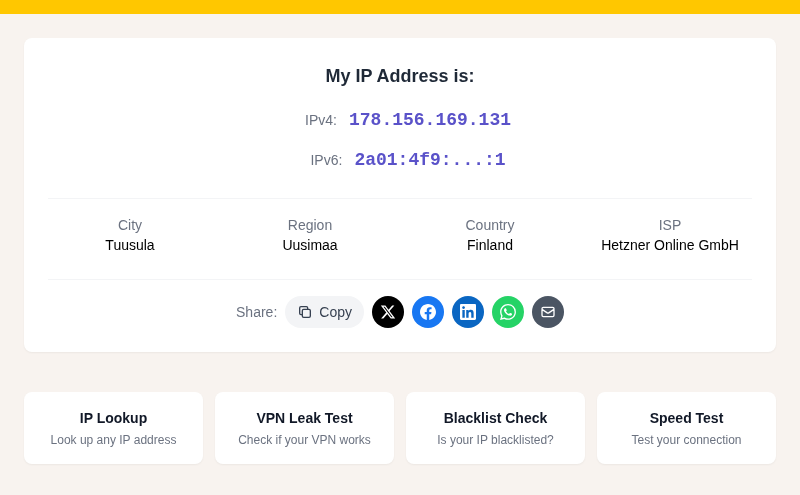
In my testing, checking our IP Lookup tool on cellular often returns a city that is nowhere near me, and sometimes returns no city at all, just the carrier's registered state. That is accurate behavior from the database's perspective: the IP genuinely belongs to a gateway hundreds of miles away.
Geolocation databases are updated frequently (MaxMind updates theirs on weekdays), but frequency does not solve the structural problem. A perfectly fresh database cannot tell you where you are when your IP belongs to a gateway shared across an entire region.
How Registry Data Makes Things Worse
IP geolocation works backwards from public registry data. The Regional Internet Registries (ARIN for North America, RIPE for Europe, APNIC for Asia-Pacific) record who owns each block and where the registered organization is headquartered.
For mobile carriers, the registered address is usually corporate headquarters: Bellevue for T-Mobile, Basking Ridge for Verizon, Dallas for AT&T. Providers layer on traceroute data and BGP routing tables to refine the result, but the foundation is still a corporate mailing address. When the data points to the gateway city rather than corporate HQ, that is actually an improvement.
MVNOs, Roaming, and 5G Add Layers
MVNOs inherit their parent carrier's gateway location. Mint Mobile runs on T-Mobile's network. Visible runs on Verizon's. A Mint subscriber in Seattle exits the internet through T-Mobile's infrastructure, appearing wherever T-Mobile routes that traffic. The MVNO branding is irrelevant to geolocation; the underlying gateway is everything.
International roaming introduces the same effect across borders. A US traveler in Paris staying on their US carrier's roaming plan may still exit the internet through a US gateway, appearing to websites as if they never left home. This is also why some streaming services block roaming users: the IP says United States, the content licensing agreement says that should work, but the system was never told the user is physically abroad.
5G edge architecture promises to localize traffic through distributed User Plane Functions closer to cell towers. Industry demonstrations are real, and some enterprise use cases have deployed true edge UPFs. For typical consumer mobile data in 2026, though, traffic still exits through the same regional gateway infrastructure it always has. The 5G label on your signal indicator does not change where your IP is geolocated.
What This Means in Practice
The wrong-gateway problem shows up in recognizable patterns:
- Streaming services geo-fence content by IP. A US subscriber on cellular may hit a blackout or regional restriction because the gateway IP lands in the wrong city for their sports package.
- Banking fraud systems flag logins from "unexpected locations." A mobile IP jumping from Chicago to Dallas as you cross a parking lot is not a security event, but the fraud model does not know that.
- "Near me" searches in apps that weight IP over GPS return results from the gateway city. Google Search largely works around this by using multiple signals, but many third-party apps do not.
- Voting forms and ZIP-to-IP validators reject mobile users whose IP and stated location do not match.
How to Work Around It
The real fix is to bypass IP entirely and use GPS or Wi-Fi positioning for anything that requires location accuracy. Your phone's GPS is accurate to within a few meters under open sky. Wi-Fi positioning, where Apple and Google maintain databases of access-point locations, is often faster indoors. Cell tower triangulation adds a third fallback. None of these suffer from the gateway problem. You can compare what your IP claims versus what your actual device GPS reports using Find My Location.
When you cannot use GPS (because a service insists on IP):
- Switch to Wi-Fi. A fixed-line home or office connection has a static IP that geolocation databases handle far more reliably than mobile IPs.
- Toggle airplane mode and reconnect. This forces a new IP assignment. You might pull a different gateway. It is a coin flip, not a fix, but sometimes it works.
- Use a VPN with a server in your actual city. Counterintuitively, a VPN can place you in the right location when the carrier gateway puts you in the wrong one. Check the result with our VPN Leak Test afterward to confirm the VPN IP is being picked up, not the carrier IP.
For a broader look at why IP location goes wrong beyond just mobile networks, see Why Your IP Location Shows the Wrong City.
FAQ
Why does my phone's IP show a different state?
Your phone's internet traffic exits through one of your carrier's regional gateways, which may be hundreds of miles from where you are. The IP address assigned to you belongs to that gateway, not to your cell tower. Geolocation databases correctly identify the gateway's location, which is often a major city in a different state from where you are physically standing.
Can I fix my mobile IP geolocation location?
Not directly. The gateway location is set by your carrier's network infrastructure and is not something individual users can change. Practical workarounds include switching to Wi-Fi (which uses a fixed-line IP that databases handle more reliably), reconnecting to cellular to get a different gateway assignment (inconsistent), or using a VPN server in your actual city. For applications where precise location genuinely matters, granting GPS or precise location access to the app bypasses the IP problem entirely.
Why do MVNOs like Mint Mobile or Cricket show wrong IP locations?
MVNOs do not own their own network infrastructure. Mint Mobile runs on T-Mobile's towers and gateways; Cricket runs on AT&T's. Your data exits the internet through the parent carrier's gateway, not through anything specific to the MVNO brand. The geolocation result reflects the parent carrier's gateway city, not yours.
Does 5G fix mobile IP geolocation accuracy?
Not in practice for most consumer connections. 5G's core architecture introduces distributed User Plane Functions that can localize traffic closer to the cell tower, which would improve IP geolocation. But as of 2026, carriers have deployed these edge UPFs mainly for enterprise use cases. Consumer 5G data still routes through the same regional gateway infrastructure as 4G, meaning the geolocation problem is unchanged.
Sources

WhatIsMyLocation Team
Our team of network engineers and web developers builds and maintains 25+ free networking and location tools used by thousands of users every month. Every article is reviewed for technical accuracy using real-world testing with our own tools.
Related Articles
Try Our Location Tools
Find your IP address, GPS coordinates, and more with our free tools.