
Summarise this article with:
If your IP is blacklisted, the first question is: what is actually breaking? Emails bouncing, a website refusing your connection, and a streaming service blocking you are three different problems pointing to three different types of blacklist. The fix for each is different.
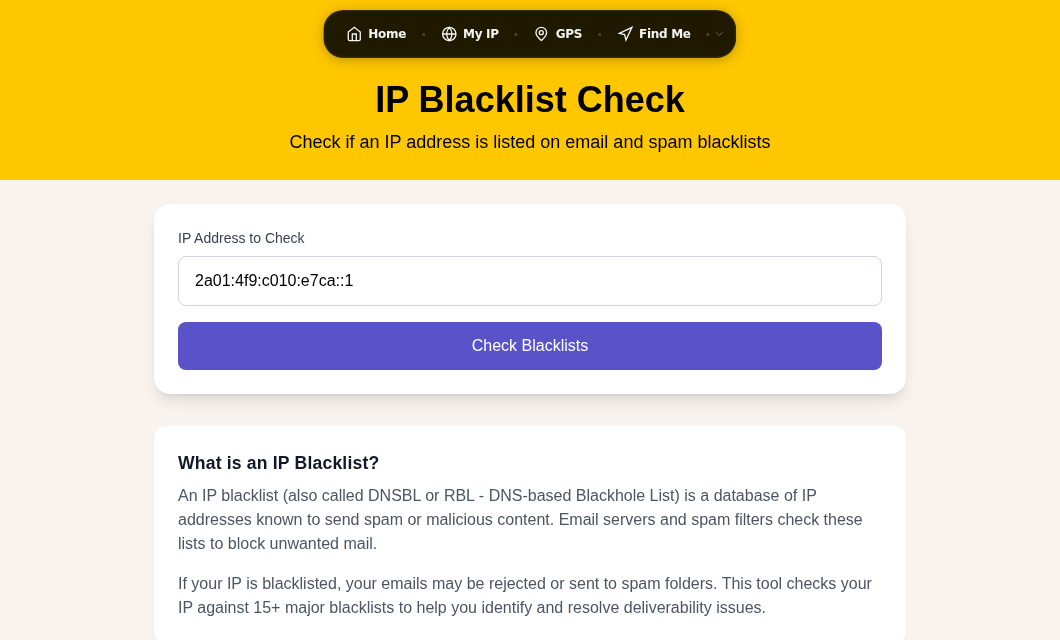
This guide is for home internet users. If you run a mail server and need to request delisting from an email blacklist, that process has its own nuances. See our guide to delisting a blacklisted IP address.
Step 1: Find Your IP and Check It
Start at our My IP Address tool to confirm the exact IP your ISP has assigned you right now. Dynamic IPs change, so always check before looking up blacklist status.
Then run your IP through a multi-list checker. MXToolbox's blacklist check tests against over 100 lists simultaneously. check.spamhaus.org is the authoritative source for Spamhaus-specific results.
Write down every list that flags your IP. You need that list before you can do anything else.
Step 2: Understand What You Are Actually On
Not all blacklists work the same way, and some do not affect home users at all.
Spamhaus PBL: the one that surprises most people
The Spamhaus Policy Blocklist (PBL) contains more than 1.4 billion IPv4 addresses, covering roughly 40% of routable IPv4 space. Most residential broadband ranges are on it. Being on the PBL does not mean you sent spam. It means Spamhaus (or your ISP) has flagged your IP range as end-user space that should not be connecting directly to mail servers.
For home users, the PBL matters only if you are trying to run a mail server from home. If you send email through Gmail, Outlook, Apple Mail, or your ISP's SMTP server with authentication enabled, the PBL has zero effect on your outgoing mail. That traffic routes through your provider's IP, not yours.
If you truly need your residential IP removed from the PBL (for example, if you have a static IP and a legitimate home mail server), use check.spamhaus.org, enter your IP, click "show details," and follow the steps. Spamhaus requires a static (not dynamic) IP and a non-free-provider email address. Exemptions expire after one year.
Spamhaus XBL: this one is serious
The Exploits Blocklist (XBL) lists individual IPs showing signs of compromise: botnet activity, open proxies, malware sending traffic in the background. If your home IP is on the XBL, something on your network is infected. The XBL absorbed the old Composite Blocking List (CBL) in 2021, so references to "CBL listings" now point here.
Do not request removal before fixing the underlying problem. Spamhaus will re-list you immediately if the infected behavior continues.
SpamCop: self-resolving if you stop the problem
SpamCop listings expire automatically within 24-48 hours once spam reports stop coming in. There is no removal form. Each new complaint resets the expiry clock. If your IP is on SpamCop, the priority is stopping whatever was generating reports, then wait.
Barracuda BRBL: manual request, usually fast
The Barracuda Reputation Block List is commonly used by enterprise email gateways. Removal requests go to barracudacentral.org/rbl/removal-request. Fix the root cause first, then submit. Barracuda typically processes requests within 12 hours.
SORBS: ignore it
SORBS was shut down in June 2024. Any tool still showing SORBS results is displaying stale data. You cannot be affected by a list that no longer exists.
Step 3: Diagnose the Root Cause
Before any removal request, you need to know why you were listed.
Check for an infected device on your network
Router and IoT device infections are behind a large share of residential blacklistings. Malware running on a smart TV, an old router, or a forgotten IoT gadget can send spam or participate in DDoS attacks for months without any obvious sign. Active botnets including Kimwolf and AryStinger specifically target home routers.
Signs your router may be compromised:
- You cannot log into the router admin panel, or settings have changed on their own
- Unknown devices appear in the connected devices list
- Browser redirects happen across multiple devices
- Network speeds drop noticeably while idle
To check, log into your router (usually at 192.168.1.1 or 192.168.0.1), review the connected devices list, and look at any traffic logs. Check the firmware version and compare it to the manufacturer's current release.
If you find evidence of compromise: update the firmware, change the admin password and Wi-Fi password immediately, then do a factory reset followed by a fresh firmware update. Factory-resetting without updating is not enough; some router malware persists through resets if the firmware vulnerability is still present.
Run a malware scan on every PC and phone on the network as well. A compromised router often arrives alongside compromised endpoints.
Check if you inherited a bad IP
Dynamic IP addresses are recycled by ISPs. The IP assigned to you today may have belonged to someone who was sending spam last month. In my testing, this is the most common reason a home user discovers a blacklist listing with no obvious cause. The infection was the previous tenant's, not yours.
If your IP was clean when you had a different address, and you only noticed the problem after a router restart or ISP reconnection, inherited reputation is the likely culprit.
The fix: get a new dynamic IP. Power off your router for several minutes (sometimes longer, depending on your ISP's DHCP lease time). When it reconnects, check /my-ip to see if the address changed. Not all ISPs assign a new IP on every reconnection; some "remember" your device. If your address has not changed after restarting, call your ISP and ask them to release your lease.
You can also check our IP geolocation accuracy post for context on how ISPs manage and assign address ranges.
Check which accounts may have been compromised
If a blacklist specifically flags spam activity rather than botnet behavior, check your email accounts for messages in the Sent folder that you did not write. Change passwords on every account that touches your home network.
Step 4: Request Removal (When Applicable)
Once the root cause is fixed:
| Blacklist | Removal path | Typical wait |
|---|---|---|
| Spamhaus PBL | check.spamhaus.org (static IP only) | ~15 minutes DNS propagation |
| Spamhaus XBL | check.spamhaus.org (fix infection first) | Minutes to 24 hours |
| SpamCop | None needed (auto-expires) | 24-48 hours after reports stop |
| Barracuda | barracudacentral.org/rbl/removal-request | ~12 hours |
| SORBS | Shut down June 2024 (ignore) | N/A |
After requesting removal, re-check using MXToolbox or check.spamhaus.org to confirm the listing has cleared.
Step 5: If You Cannot Get Delisted
Sometimes you hit a wall: the list is slow to respond, or your dynamic IP is on a range that will not accept a removal request because the ISP manages the range collectively.
Get a new IP address. This is almost always the fastest path for a home user. Power cycle your router. If that does not change your IP, your ISP can release your DHCP lease manually; most ISP support lines will do this in a few minutes. Confirm the new IP with our My IP tool and then run the blacklist check again.
Use a VPN for browsing. If a website (not email) is blocking your IP, a VPN gives you a clean outbound address. NordVPN is a solid option; you can also verify your VPN is working properly with our VPN leak test. Note that some security-focused sites block VPN exit nodes too, so a VPN is not a universal fix.
Use a relay for email. If the issue is email delivery, sending through Gmail, Outlook.com, or your ISP's SMTP server bypasses your home IP entirely. Your residential IP is never the "sender" when you use authenticated SMTP through a provider.
Prevention: Keep Your Network Clean
Most repeat blacklistings happen because the root issue was never fixed.
- Update router firmware regularly. Unpatched routers are the primary target for residential botnets. Check the manufacturer's site every few months, or enable auto-update if your router supports it.
- Change default credentials. The default admin username and password on most consumer routers are published online. Change both immediately after any reset.
- Segment IoT devices. Most modern routers support a guest network. Put smart TVs, cameras, and other IoT devices on a separate SSID so a compromised gadget cannot reach your computers.
- Check reputation periodically. Running a blacklist check on your IP once a month takes two minutes. Catching a listing early means fixing it before it causes obvious problems.
- Enable SMTP authentication. If you use any desktop email client, confirm it is configured to authenticate against your ISP or provider's SMTP server rather than sending directly. This keeps the PBL from affecting your outgoing mail even if your IP is in a listed range.
For a deeper look at what your IP exposes and how to reduce your exposure, see our browser fingerprint checker and proxy check tools.
FAQ
Why is my IP blacklisted when I have never sent spam?
There are three common reasons. First, your device or router may be infected with malware that is sending spam or attack traffic in the background without your knowledge. Second, you may have inherited a bad reputation from the previous user of your dynamic IP. ISPs recycle addresses and you get whatever reputation the last holder left behind. Third, if you are on the Spamhaus PBL, that is not an accusation of spam at all; it is a policy flag on residential IP ranges that applies to nearly 40% of routable IPv4 space.
Does being on a blacklist affect my normal web browsing?
Email blacklists rarely affect web browsing. They are consulted by mail servers, not websites. However, some security services, particularly enterprise firewalls and DDoS-mitigation layers, maintain their own reputation lists that can block web traffic. If a specific website is refusing your connection and others are fine, the site may be running its own IP reputation filter. Getting a new dynamic IP or using a VPN is usually the fastest fix in that case.
How do I change my IP address to escape a blacklist?
Power off your router for several minutes and reconnect. Many ISPs will assign a new dynamic IP after the DHCP lease expires. Verify the change at our My IP tool. If the address does not change, your ISP's DHCP server may be holding your assignment; call support and ask them to release your lease. If your ISP provides a static IP, you will need to contact them to assign a new one, which may require a support ticket.
Can my IP be blacklisted because of a neighbor or shared connection?
Yes, in two scenarios. On a shared network (an apartment building sharing a gateway, or a cafe with a single public IP), one bad actor can get the shared exit IP flagged, affecting everyone behind it. On shared web hosting, one misbehaving site on the server can get the IP blocked, which affects every other site on that machine. If you suspect a shared-IP situation, check whether the issue affects only your connection or also others on the same network.
Is the Spamhaus PBL listing permanent?
No. The PBL is a policy list, not a spam accusation, and listings change as ISPs update their submitted IP ranges. If you get a new IP that happens to be out of a PBL-listed block, you will not be on it. If you have a static IP and want to run a mail server, you can request a self-service PBL exemption at check.spamhaus.org, but it requires a non-free-provider email address and expires after one year.
Sources

WhatIsMyLocation Team
Our team of network engineers and web developers builds and maintains 25+ free networking and location tools used by thousands of users every month. Every article is reviewed for technical accuracy using real-world testing with our own tools.
Related Articles
Try Our Location Tools
Find your IP address, GPS coordinates, and more with our free tools.