
Summarise this article with:
The Delisting Path
Fix the root cause before you file any removal request. Every major blacklist operator will reject or ignore your request if spam is still flowing from your IP at the time you submit it. Delist first, fix later is not an option here. The sequence is: diagnose, remediate, verify, then request removal.
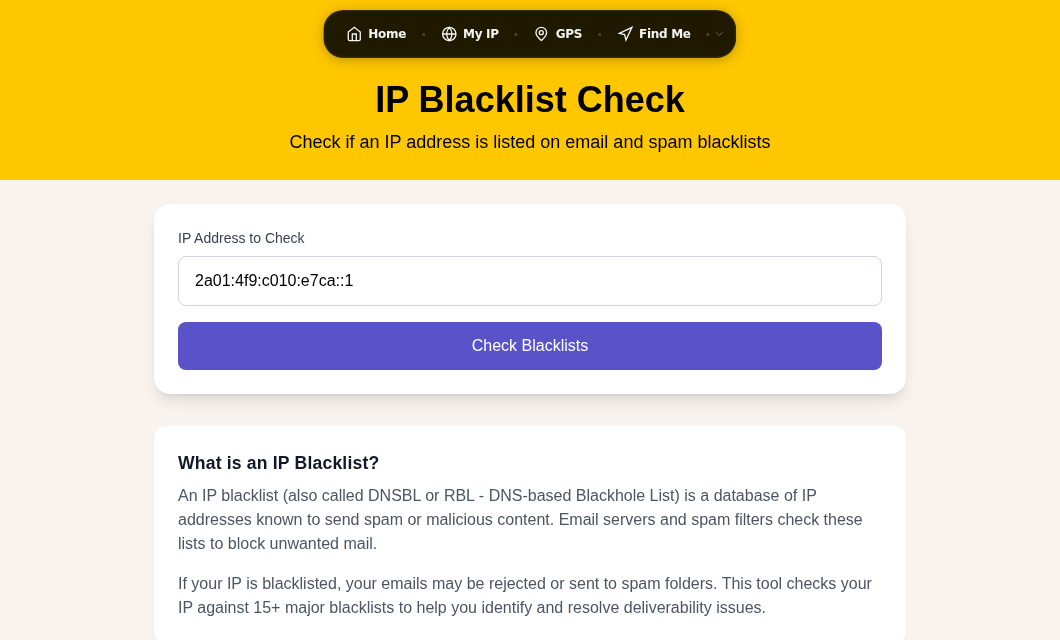
The rest of this guide walks through that sequence for mail-server operators. Use the Blacklist Check tool first to confirm exactly which lists have flagged you. Then work through the per-list steps below.
Why Your IP Got Listed
Before touching any removal form, you need to understand what triggered the listing. The most common causes for mail servers:
- Outbound spam from a compromised account or script. A single hacked mailbox or a poorly written contact form can generate thousands of messages before anyone notices.
- Open mail relay. If your SMTP server accepts and forwards mail from any sender to any recipient without authentication, spammers will find and abuse it. Even a brief window of open-relay status is enough to earn a listing.
- Missing or broken email authentication. No SPF record, missing DKIM signatures, or no DMARC policy signals low legitimacy to both blacklist operators and receiving servers.
- High bounce or complaint rates. Sending to stale lists or purchased lists drives up hard bounces and spam-complaint rates, which monitoring systems track.
- Shared IP contamination. On shared hosting, another tenant's behavior gets your IP listed. This is the strongest argument for a dedicated sending IP if email deliverability matters to your business.
Check your mail server logs for unusual outbound volume, look for authenticated relay attempts from unexpected accounts, and run a relay test before you proceed. Tools like MXToolbox's relay test can confirm whether your server is open.
Operator Lane: Per-Blacklist Delisting
Spamhaus (SBL, CSS, XBL, PBL)
Spamhaus is the most influential DNSBL family. Start at check.spamhaus.org, which accepts IPv4, IPv6, and domain names. The result page identifies exactly which sub-list triggered the hit and tells you what removal path applies.
SBL (Spamhaus Block List): This list is manually reviewed and targets confirmed spam sources. There is no end-user self-service removal. Only the ISP or network operator who controls the IP can contact the SBL team, using the link shown on the listing record at check.spamhaus.org. Spamhaus will not process the request if the spam activity is still ongoing. The team typically responds within 24-72 hours for legitimate requests.
CSS (Spamhaus Blocklist sub-list for high-volume/snowshoe spam): CSS listings are automated and do have a self-service removal option. Follow the removal link shown on your listing record at check.spamhaus.org. These requests often clear in minutes.
XBL (Exploits Block List): XBL targets IPs with compromised devices or botnet activity. Self-service removal is available through check.spamhaus.org once the device is clean. The listing page will show the CBL (Composite Blocking List) data that triggered it. Clean the machine, then submit the self-service removal. It typically clears within hours.
PBL (Policy Block List): PBL is not a spam list. It covers IP ranges that ISPs have designated as end-user pools, meaning they should not send mail directly on port 25. Being on PBL is normal for residential or dynamic IPs. If your IP is a legitimate, static mail server, you can request a PBL exclusion at check.spamhaus.org. Requirements: the IP must be static, must have matching forward and reverse DNS, and you must use a non-free-provider email address in the request. Exclusions expire after one year and are revoked immediately if spam is detected.
Barracuda BRBL
Barracuda's Reputation Block List (BRBL) is used by organizations running Barracuda spam filters. It requires a manual removal request with no automatic expiration.
- Check your status at barracudacentral.org/lookups.
- If listed, go to barracudacentral.org/rbl/removal-request.
- Fill in your IP address, a contact email, a phone number, and a clear explanation of what caused the listing and what you have done to resolve it. Requests without a credible explanation are likely to be ignored.
- Expect a response within 12-24 hours. If 72 hours pass without a response and you have confirmed the issue is fixed, Barracuda's support line (408-342-5400) has resolved stuck cases.
Barracuda also tracks listing history over time. An IP that has been listed repeatedly may carry lower trust for a period even after removal.
SpamCop
SpamCop listings auto-expire without any manual action. There is no removal form. The system uses a weighted decay model: recent reports count more heavily, and any report older than 48 hours begins to decay. Reports older than 7 days are ignored entirely. Once incoming spam reports stop and existing reports age past the decay window, the listing disappears.
The clock resets with every new complaint, so the only effective action is to stop the spam. Check your logs, clean compromised accounts, and wait. In my testing, a server that was sending a low volume of spam typically cleared from SpamCop within 2-3 days of the last offending message.
Microsoft / Outlook.com
If emails to Hotmail, Outlook, or Live addresses are bouncing with a 5.7.511 error, your IP is on Microsoft's block list. This is separate from Spamhaus and Barracuda.
- Go to sender.office.com and enter your IP address to request removal.
- If the self-service portal does not resolve it, email
[email protected]with your IP address and the full bounce/NDR code. Microsoft typically responds within 48 hours. - Register with Microsoft's Smart Network Data Services (SNDS) to see how Microsoft scores your IP reputation and monitor complaint rates from Outlook users.
SORBS
SORBS was decommissioned by Proofpoint on June 5, 2024. All 18 DNS zones were emptied. If a tool still shows a SORBS listing for your IP, it is a stale data artifact with no practical impact, because no mail servers should be querying SORBS anymore. You do not need to take any action for SORBS. If you see SORBS referenced in your own filtering configuration, remove it.
After Delisting: Verify and Monitor
Once you have submitted removal requests, wait the period specified by each list and then re-check with the Blacklist Check tool. Check daily for the first week. Re-listing within 24-48 hours of removal is a clear signal that the root cause was not fully resolved.
Set up ongoing monitoring. Several free services send email alerts when your IP appears on a major DNSBL. Catching a listing within hours instead of days makes remediation much faster and reduces deliverability damage.
How to Stay Off Blacklists
Configure email authentication correctly. An SPF record declares which servers may send mail for your domain. DKIM signs outgoing messages with a private key that receivers can verify. DMARC tells receiving servers what to do with messages that fail SPF or DKIM checks, and sends you aggregate reports so you can see what is happening. Start DMARC with p=none to observe, then tighten to quarantine and eventually reject once you are confident in your sending infrastructure. See DNS Records Explained for a deeper look at how these records work.
Set reverse DNS. Your mail server's IP should have a PTR record that resolves to a hostname, and that hostname should resolve back to the IP. Many receiving servers reject or score down mail from IPs without matching rDNS.
Audit your mail server configuration regularly. Confirm it is not an open relay. Test with an external relay-check tool after any configuration change.
Use a dedicated IP for transactional or marketing email. Shared IPs mean shared reputation. If another sender on the same IP behaves badly, you get listed too. A dedicated IP is the only way to own your sending reputation fully. See Public vs Private IP for more on how IP assignment works.
Warm up new IPs gradually. A brand-new IP with no reputation that suddenly sends high volume looks like a spam operation. Start with a small daily sending volume and increase it over several weeks to build a track record.
Keep your lists clean. Remove hard bounces immediately after each campaign. Never purchase email lists. Use confirmed opt-in for new subscribers. High bounce and complaint rates are both listing triggers and deliverability killers.
FAQ
How long does it take to get delisted from Spamhaus?
It depends on which Spamhaus list flagged you. CSS and XBL self-service removals often process within minutes to a few hours once you submit through check.spamhaus.org. SBL manual requests, which go to the SBL team via your ISP or network operator, typically take 24-72 hours. PBL exclusions are automated and usually propagate within an hour. In all cases, Spamhaus will not process the request if the underlying issue is still active.
Can my IP get blacklisted even if I did not send any spam?
Yes. The most common scenarios are shared hosting (another tenant on your IP sends spam), a compromised account on your mail server that sends without your knowledge, or a misconfigured contact form that gets abused. Botnet infections on devices that share your network's outbound IP can also cause listings. The blacklist operator does not assess intent, only behavior.
Will changing my IP address fix a blacklist problem?
It buys time, not a solution. If the underlying issue is still present, the new IP will be listed too, often faster because fresh IPs with no history are sometimes treated with higher suspicion when they immediately start sending high volume. Fix the root cause first. If you do migrate to a new IP, warm it up gradually and implement authentication records before sending at scale.
What is the difference between SBL and PBL on Spamhaus?
SBL (Spamhaus Block List) is a list of IPs confirmed as sources of spam, operated or controlled by spammers. It is manually reviewed. PBL (Policy Block List) is a list of IP ranges that ISPs have designated as dynamic or end-user pools, not intended for direct mail delivery. Being on PBL does not mean your IP sent spam. It means your ISP tagged that range as a residential or end-user block. If you legitimately run a mail server on a static IP, you can request a PBL exclusion.
Should I use a paid blacklist removal service?
Generally, no. Every major blacklist (Spamhaus, Barracuda, SpamCop, Microsoft) provides a free removal path directly. Paid services typically submit the same forms you would submit yourself. More importantly, no third party can guarantee or accelerate removal from Spamhaus. If a service promises that, walk away. The right investment is a qualified email deliverability consultant or system administrator who can diagnose the root cause, not someone who promises to push buttons on your behalf.
Sources

WhatIsMyLocation Team
Our team of network engineers and web developers builds and maintains 25+ free networking and location tools used by thousands of users every month. Every article is reviewed for technical accuracy using real-world testing with our own tools.
Related Articles
Try Our Location Tools
Find your IP address, GPS coordinates, and more with our free tools.