
Summarise this article with:
The Short Answer
Every smartphone photo you take embeds your precise GPS location, camera model, device serial number, and timestamps into the file as invisible EXIF metadata. Social media platforms generally strip this before displaying your photos publicly, but email, cloud storage, and messaging apps in "file" mode do not. The safest habit is to strip GPS yourself before sharing anything outside a platform you trust to do it for you.
What EXIF Actually Carries
EXIF (Exchangeable Image File Format) is a container of technical facts written into the image file itself, not a separate file you can see. It was designed to help cameras record the conditions of each shot. Privacy concerns emerged later, as GPS chips became standard in phones.
| Field | Example | What It Reveals |
|---|---|---|
| GPS latitude/longitude | 40.7128 N, 74.0060 W | Exact capture location |
| GPS altitude | 15 m | Building floor, terrain |
| GPS direction | 45 deg | Which way you were facing |
| Date and time | 2025-08-14 07:14:22 | When you were there |
| Camera make/model | iPhone 16 Pro | Device type |
| Camera serial number | A1B2C3D4E5 | Unique device fingerprint |
| Lens info | 24mm f/1.8 | Gear identification |
| Embedded thumbnail | Mini preview | May show uncropped original |
The thumbnail entry is worth a specific warning. If you crop a photo to remove a face, license plate, or street sign, many editing workflows preserve the original uncropped thumbnail inside the EXIF block. Someone with a metadata reader can extract it and see what you intended to hide.
The serial number entry is similarly overlooked. Canon and Nikon bodies, as well as many smartphone manufacturers, embed a unique hardware serial in MakerNotes. This means photos you post anonymously to different platforms can be linked back to a single physical device if someone reads the EXIF.
How Precise Is the Location?
Modern flagship phones with dual-frequency GPS (L1+L5) can record sub-meter positioning in open sky, though typical conditions for most phones produce around 3-5 meter accuracy. In dense urban areas with tall buildings reflecting signals, that figure can widen to 10-15 meters. Even at the wider end, the coordinates are precise enough to identify your specific apartment in a building, your parking spot, or which side of the house you were standing on.
The complete GPS accuracy guide covers the technical differences between GPS, Wi-Fi, and cell-tower positioning if you want to understand what actually goes into the reading embedded in your photo.
The Myth: "I Post to Social Media, So I'm Fine"
This is mostly true for public posts on the big platforms, but it breaks down quickly in several common situations.
Social platforms that re-encode images before displaying them publicly do strip EXIF in the process. But the stripping happens server-side after upload. And some platforms that strip GPS from public posts still retain the original data internally for their own purposes.
The real gap is everywhere outside the main social platforms. Email, cloud storage links, messaging apps in "file" mode, and AirDrop all transmit the original file with full metadata intact.
What Platforms Actually Do in 2026
| Platform / Channel | Strips GPS Publicly? | Notes |
|---|---|---|
| Yes | Strips before public display; retains original internally | |
| Yes | Same pattern as Instagram | |
| Twitter / X | Yes | Strips via official app and web; third-party schedulers may not |
| TikTok | Yes | Re-encodes video, strips container metadata as side effect |
| WhatsApp (Photo mode) | Yes | Compresses and strips ~89% of cases |
| WhatsApp (Document mode) | No | Sends original file untouched, GPS included |
| Telegram (Photo mode) | Yes | Strips on compressed send |
| Telegram (File mode) | No | Sends original file untouched, GPS included |
| Signal | Yes | Privacy-focused, strips on send |
| iMessage | No | Delivers original file with full EXIF |
| Gmail / Outlook / Apple Mail | No | Attachments go through unchanged |
| Google Drive (shared link) | No | Delivers original file |
| iCloud shared link | No | Delivers original file |
| Dropbox shared link | No | Delivers original file |
| Google Photos | No | Preserves and displays location data |
| Flickr | Optional | Check your own privacy settings |
The pattern is consistent: platforms that convert or re-compress your image strip metadata in the process. Platforms that send or store your original file leave it exactly as it was.
In my testing, the most dangerous gap is the Document/File mode in WhatsApp and Telegram. Users deliberately choose that mode to preserve image quality, not knowing it also preserves every piece of metadata including GPS.
Real Privacy Risks Worth Taking Seriously
Your home address is in indoor photos
Photos taken inside your home contain coordinates that pinpoint the building. Share them publicly and anyone with a metadata reader knows your address. Share them by email or as a file attachment to someone you trust, and if that file is later forwarded or leaked, the coordinates travel with it.
Routine mapping from a photo stream
A collection of geotagged photos builds a behavioral map: morning photos at home and commute, daytime photos at work, weekend photos at the gym or school pickup. Stalkers, abusive ex-partners, and insurance investigators have all used EXIF location trails in documented cases. Child safety organizations specifically warn against sharing geotagged photos of minors for this reason.
Vacation burglary risk
Travel photos broadcast that you are away from home. That is useful to someone planning a break-in. The timestamp and location together confirm both the absence and the destination.
The uncropped thumbnail
As noted above, cropping a photo does not remove the EXIF thumbnail of the original. If you crop to protect someone's face or a sensitive background, check whether your export tool also strips the thumbnail.
For a broader look at how location data flows out of your devices, the GPS vs IP location difference post covers where each signal comes from and how they compare in precision.
How to View What Is in Your Photos
Before removing anything, it helps to see what is actually there.
iPhone
- Open the Photos app and select a photo
- Swipe up or tap the info (i) button
- Look for a map below the photo details
If no map appears, the photo has no GPS tag.
Android (Google Photos)
- Open Google Photos and select a photo
- Swipe up or tap the three-dot menu, then Details
- Look for location under the details panel
Windows 11
- Right-click the image in File Explorer
- Choose Properties, then the Details tab
- Scroll to the GPS section to see latitude, longitude, and altitude
macOS
- Open the image in Preview
- Press Cmd+I or go to Tools, then Show Inspector
- Click the GPS tab to see coordinates, then click Show in Maps to verify the location
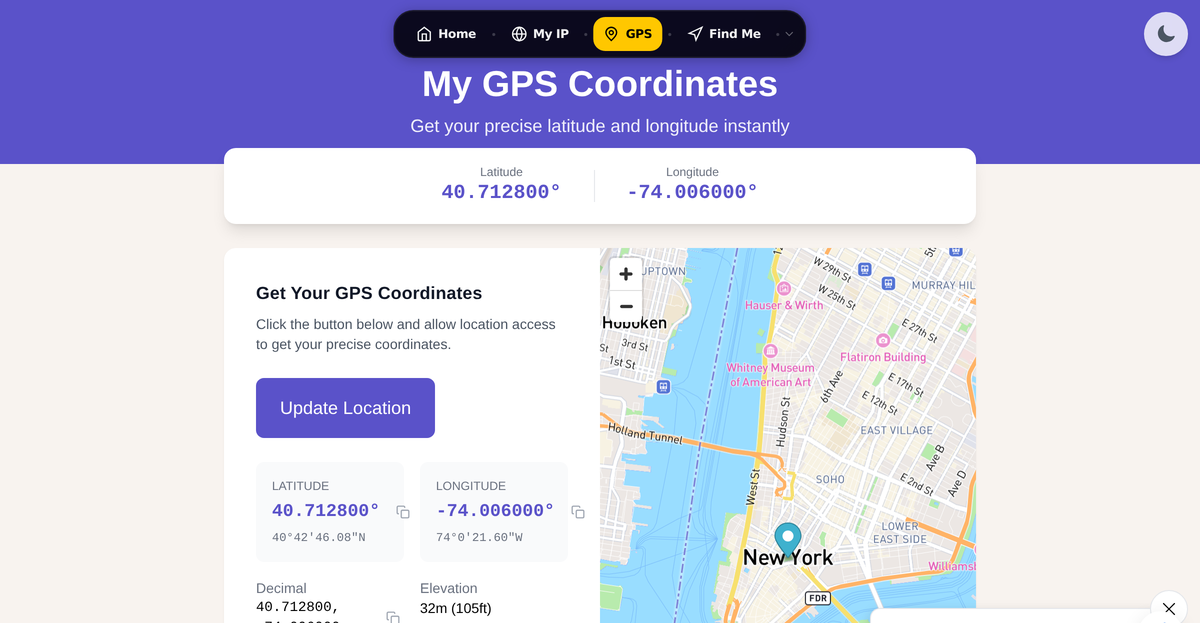
You can also check any photo online at /gps-coordinates to see what coordinates embed to a map location.
How to Remove GPS and EXIF Data
iPhone: Strip Before Sharing
For a single share: Tap the photo, tap Share, tap Options at the top of the share sheet, toggle Location off, then share normally. Other EXIF fields like camera model and timestamp remain unless you use a dedicated app.
To stop capturing location going forward: Go to Settings, Privacy and Security, Location Services, Camera, and set it to Never. This prevents new photos from storing GPS but does not touch photos already taken.
To remove location from an existing photo: Open the photo, tap the info button, tap Adjust Location, then tap No Location.
Android: Strip Before Sharing
From Google Photos: Select the photo, tap Share, and before choosing a destination app look for the option to Remove location. The label placement varies by Android version.
To stop capturing location: Open the Camera app, go to its Settings (gear icon), and toggle off Save location or Geo tags. The setting name varies by manufacturer.
Windows 11: Built-in Remover
- Right-click the image in File Explorer
- Choose Properties, then the Details tab
- Click Remove Properties and Personal Information at the bottom
- Choose "Create a copy with all possible properties removed"
Note: the built-in tool removes most standard EXIF fields including GPS, camera model, and date taken. It does not always catch XMP data, IPTC fields, or embedded MakerNotes. For complete stripping, a dedicated tool like ExifTool (free, command-line) or a browser-based metadata remover is more thorough.
macOS: Preview Method
- Open the image in Preview
- Press Cmd+I to open the Inspector
- Click the GPS tab
- Click Remove Location Info
This removes GPS only. To strip the full EXIF block on Mac, use the Photos app export option with location removed, or a tool like ImageOptim.
Bonus: ExifTool (All Platforms, Command Line)
exiftool -all= yourphoto.jpgThis one command removes all metadata and overwrites the file. Add -o cleaned.jpg to write a new file instead. ExifTool is free and processes batches of files efficiently. It is the tool forensic analysts use to verify removal.
A Practical Workflow
My rule: categorize before sharing, not after.
- Photos for social posts: share directly through the platform app. The platform strips GPS before public display.
- Photos for email or messaging: strip EXIF first using your OS built-in tool or a dedicated app, then attach the cleaned copy.
- Photos for cloud storage you share via link: strip first unless you want recipients to have the original.
- Photos of children or taken at home: strip before sending anywhere, regardless of destination.
The geotagging and photo privacy concern connects directly to how much location data travels through normal digital life. For a related angle on what someone can do with location information once they have it, see what someone can do with your IP address.
If you use a VPN to mask your IP location, know that it does nothing for EXIF GPS data embedded in photos you share. Those are two separate signals. See is my VPN working for what a VPN does and does not protect.
FAQ
Does sharing a photo on Instagram expose my GPS location to other users?
No. Instagram strips GPS from photos before making them publicly accessible. Other users who download your photo from Instagram will not get the original EXIF data. Instagram does retain the original data on its own servers, but it is not accessible to people viewing your post.
If I email a photo, can the recipient see where it was taken?
Yes, if the photo has GPS data embedded and you did not strip it before attaching. Gmail, Outlook, and Apple Mail transmit attachments as-is. The recipient can open the file in any EXIF reader and see the exact coordinates. Strip metadata before attaching to email, especially if the photo was taken at home.
Does WhatsApp remove location data from photos?
It depends on how you send. When you send as a Photo (the default compressed mode), WhatsApp strips GPS. When you send as a Document or File to preserve quality, WhatsApp transmits the original file with all EXIF data intact, including GPS. Most users do not know this distinction exists.
Can removing EXIF data from a photo be detected or reversed?
Proper EXIF removal is not reversible and leaves no detectable trace that data was removed. What you are doing is deleting fields from a metadata block, not encrypting or hiding them. However, incomplete removal (for example, using a tool that misses MakerNotes or XMP fields) can leave partial data behind. Use a tool like ExifTool with the -all= flag to ensure complete removal.
Do all photos from my phone automatically have GPS embedded?
Only if Location Services is enabled for the Camera app. On iPhone, go to Settings, Privacy and Security, Location Services, Camera: if it says Never, your photos will not contain GPS. On Android, the Camera app typically has a "Save location" or "Geo tags" toggle. Many phones have it on by default, so it is worth checking your current setting.
Sources

WhatIsMyLocation.org Team
Our team of network engineers and web developers builds and maintains 25+ free networking and location tools used by thousands of users every month. Every article is reviewed for technical accuracy using real-world testing with our own tools.
Related Articles
Try Our Location Tools
Find your IP address, GPS coordinates, and more with our free tools.