
Summarise this article with:
Someone can use your IP address in a few specific ways, and most of them are less alarming than they sound. The bigger surprise for most people is that they are probably already sharing their public IP with strangers, through a system called CGNAT, with no intrusion required at all.
Can Someone Actually Use Your IP Address?
Yes, but the mechanism matters a great deal. There are three real scenarios.
Scenario 1: They Are on Your WiFi Network
Anyone who connects to your home network, with or without your permission, shares your public IP address. Every device behind your router appears to the outside world as the same single address. If a neighbor guesses your WiFi password or you never changed the router default, their downloads and their mistakes become your problem.
Scenario 2: CGNAT Puts You on a Shared Address by Default
Many ISPs, especially mobile carriers and smaller broadband providers, never give you a dedicated public IP at all. Instead, they use Carrier-Grade NAT (CGNAT), placing dozens to hundreds of customers behind a single public address simultaneously. This is not a security breach; it is how IPv4 address scarcity is managed across the internet.
The consequence is that you may already share your visible IP with people you have never met. If one of them sends spam, downloads pirated files, or triggers an abuse system, that shared IP can land on a blacklist, and you get the collateral damage. Cloudflare has documented this "collateral effects" problem directly, noting that blacklisting a CGNAT address can silence an entire subscriber base who did nothing wrong.
To find out if you are behind CGNAT, check what IP address the internet sees and compare it to the WAN IP shown in your router settings. If they differ, you are behind CGNAT.
Scenario 3: IP Spoofing
Attackers can forge the source address on outgoing packets to make traffic appear to originate from your IP. This is used mainly in denial-of-service attacks. Spoofing does not give the attacker access to your incoming traffic because replies go back to your actual router, not theirs. A basic spoofing attack is a reputation problem, not a data-access problem.
Scenario 4: Your Dynamic IP Was Reassigned
If your ISP changes your IP address, the new tenant of your old address may have inherited its bad history. Blacklist systems can flag an address for months before they prune it, so someone receiving your former IP could see websites treating them as a spammer, and vice versa.
Warning Signs That Something Is Wrong
- Internet is slower than usual. An unauthorized device may be consuming bandwidth.
- Your router shows unknown devices. Log in and look at the connected-devices list.
- Data caps hit faster than expected. Someone may be using your allowance.
- Services flag unusual or suspicious activity. Account logins from your IP suddenly look anomalous.
- Your IP appears on a blacklist. Use the Blacklist Check to find out.
- Your ISP sends a copyright or abuse notice. Traffic from your address triggered a complaint.
How to Check for Unauthorized Access
Step 1: Check Connected Devices
Log into your router, typically at 192.168.1.1 or 192.168.0.1, and look for a section called "Connected Devices," "Client List," or "Attached Devices." You will see device names, MAC addresses, and local IP assignments. Any device you do not recognize is a red flag.
My rule: if I cannot name a device, I change the WiFi password immediately and see what drops off.
Step 2: Run a Blacklist Check
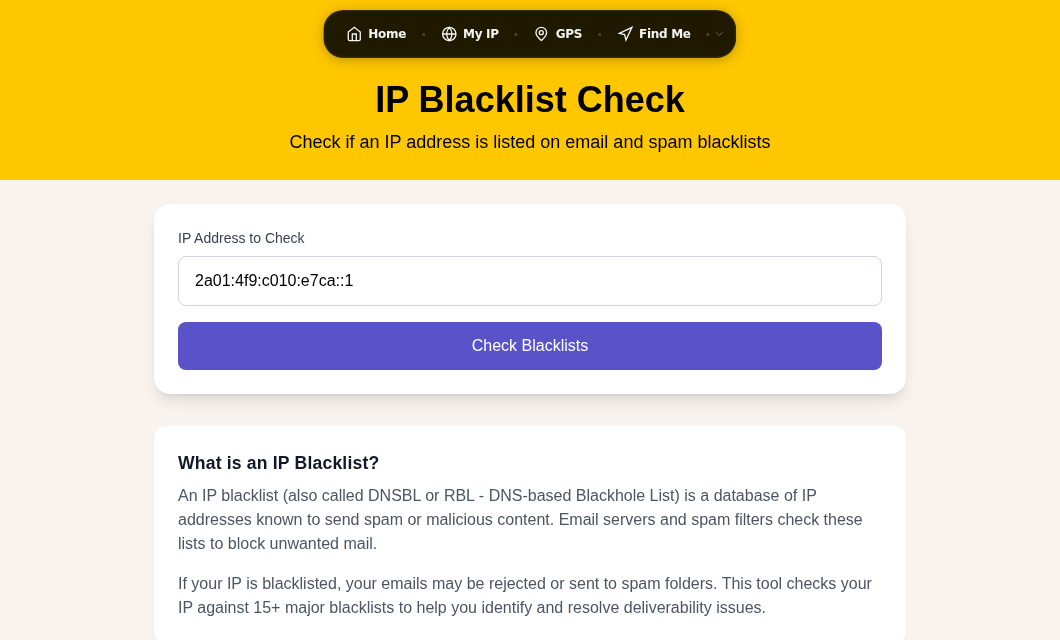
Use the Blacklist Check to see whether your current public IP is listed on any spam or abuse databases. If it is listed and you have not done anything to earn that, you are either dealing with a WiFi intruder or CGNAT collateral. You can also use IP Lookup to research suspicious addresses you see in your router logs.
Step 3: Review Router Logs
Most routers log connection attempts and bandwidth spikes. Look for traffic at hours when no one at home is online, or large transfers to external addresses you do not recognize.
What to Do If You Find a Problem
Secure Your Network
Changing your WiFi password is the fastest and most effective first step. After that:
- Enable WPA3 if your router supports it. WPA2 with a strong password is acceptable if WPA3 is unavailable. Never leave WEP enabled; it is cracked trivially.
- Disable WPS (WiFi Protected Setup). Research published as recently as 2025 found the Pixie Dust exploit still active in firmware from multiple major vendors, allowing attackers to recover router PINs in seconds. There is no good reason to leave WPS enabled.
- Change the router admin username and password from the factory defaults.
- Update your router firmware. Manufacturers patch security flaws regularly and most routers can check for updates directly from the admin panel.
- Create a guest network for visitors so they never touch your main network.
See the WiFi security and WPA3 guide for a deeper walkthrough.
Get a New IP Address
If your current address has a bad reputation you did not earn, try power-cycling your modem for at least ten minutes, then reconnect. Many ISPs with dynamic addressing will assign you a fresh IP. If that does not work, contact your ISP directly and ask for a new address. After the change, run the Blacklist Check again to confirm the new IP is clean.
If You Suspect CGNAT Collateral
If you are behind CGNAT, no local action on your end changes the shared public IP. Contact your ISP and ask whether they offer a dedicated public IP, sometimes called a "static IP." Many charge a small monthly fee. For privacy and security hardening beyond your IP address, read how to hide your IP address and understand the broader risk picture in what someone can do with your IP address.
Network Security Checklist
- Strong, unique WiFi password (12 or more characters, mixed types)
- WPA3 or WPA2 encryption enabled
- WPS disabled
- Router admin password changed from factory default
- Router firmware updated
- Guest network created for visitors
- Firewall enabled in router settings
- Connected devices audited monthly
Frequently Asked Questions
Does someone on my WiFi use my IP address?
Yes. Every device that connects to your home router shares the same public IP address. From the perspective of websites and online services, all traffic from your network looks identical. This is why an unauthorized user on your WiFi can cause your IP to be flagged for their activity.
Can someone spy on my internet traffic just by knowing my IP address?
Not through IP knowledge alone. Viewing your data requires being on the same network or executing a much more complex attack. Basic IP spoofing forges the source label on packets but does not redirect your incoming traffic to the attacker. If you want to understand the full scope of what is realistically possible, see what someone can do with your IP address.
Why is my IP blacklisted when I did nothing wrong?
The most common explanation is CGNAT. Your ISP may share your public IP with dozens or hundreds of other customers. If any one of them sends spam or triggers an abuse system, the whole shared address gets flagged. Cloudflare has documented this as a known collateral-damage problem with shared addresses. You can confirm the status at any time with the Blacklist Check.
How do I find out if I am behind CGNAT?
Visit My IP to see your public IP, then log into your router and find the WAN or internet IP it is using. If the two addresses differ, you are behind CGNAT, and you do not have a dedicated public IP. Your ISP assigns the public address, not your router.
Can I get a different IP address if mine has a bad reputation?
Often yes. Power-cycling your modem for ten or more minutes causes many ISPs to assign a new address on reconnect. If that does not work, call your ISP and request a new dynamic assignment or pay for a static IP. If you are behind CGNAT, you will need to ask your ISP specifically about a dedicated public IP, since no local action on your end changes the shared address.
Sources

WhatIsMyLocation Team
Our team of network engineers and web developers builds and maintains 25+ free networking and location tools used by thousands of users every month. Every article is reviewed for technical accuracy using real-world testing with our own tools.
Related Articles
Try Our Location Tools
Find your IP address, GPS coordinates, and more with our free tools.